Playable Variations
Setup & Usage9
Project2
Branch from an engine line, test an idea, and keep every line beside the game.
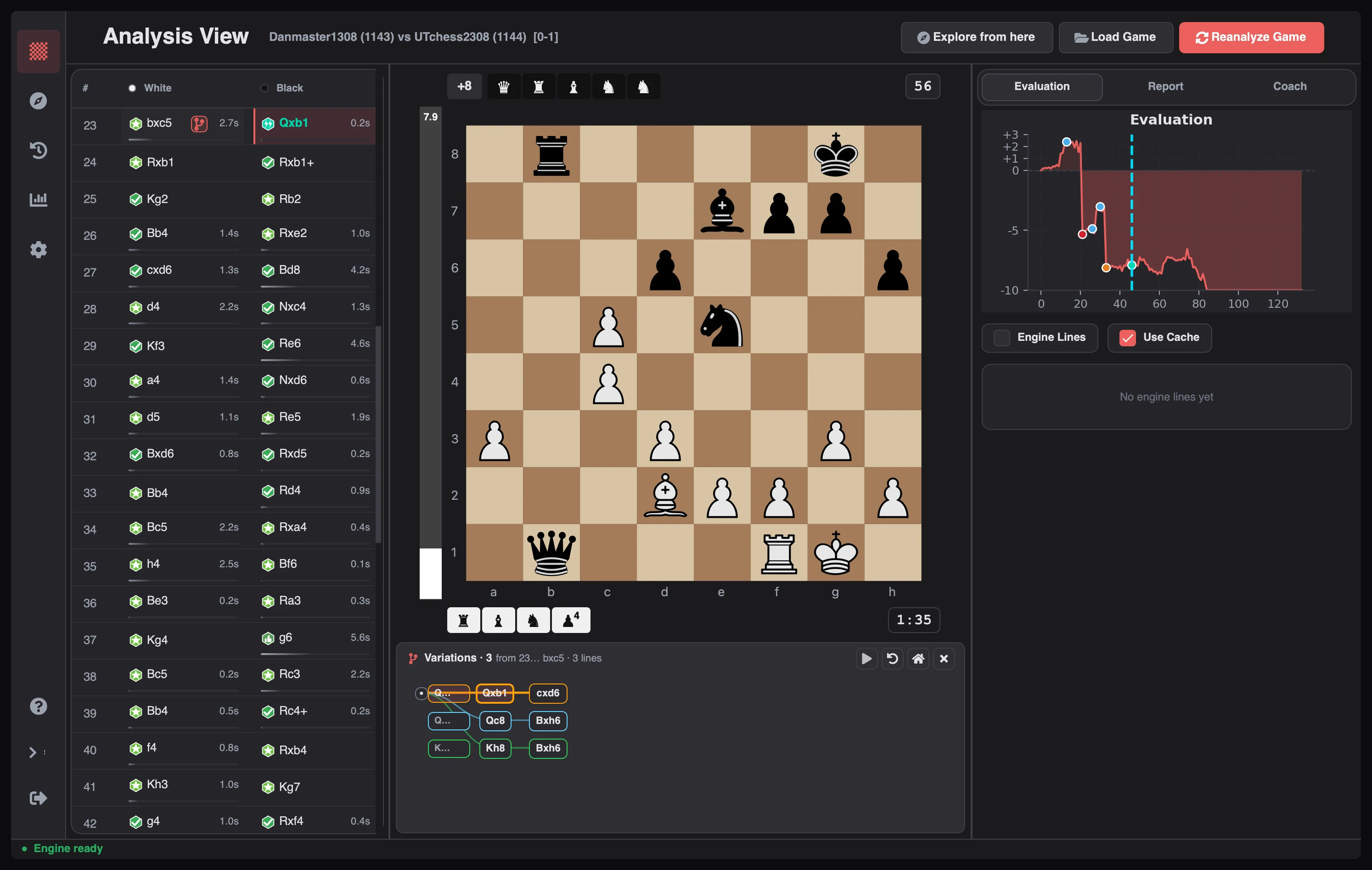
Variation mode lets you play a different move in any analyzed position without changing the game you loaded. Your line appears under the board as a tree you can walk, extend, and compare against the engine's choice.
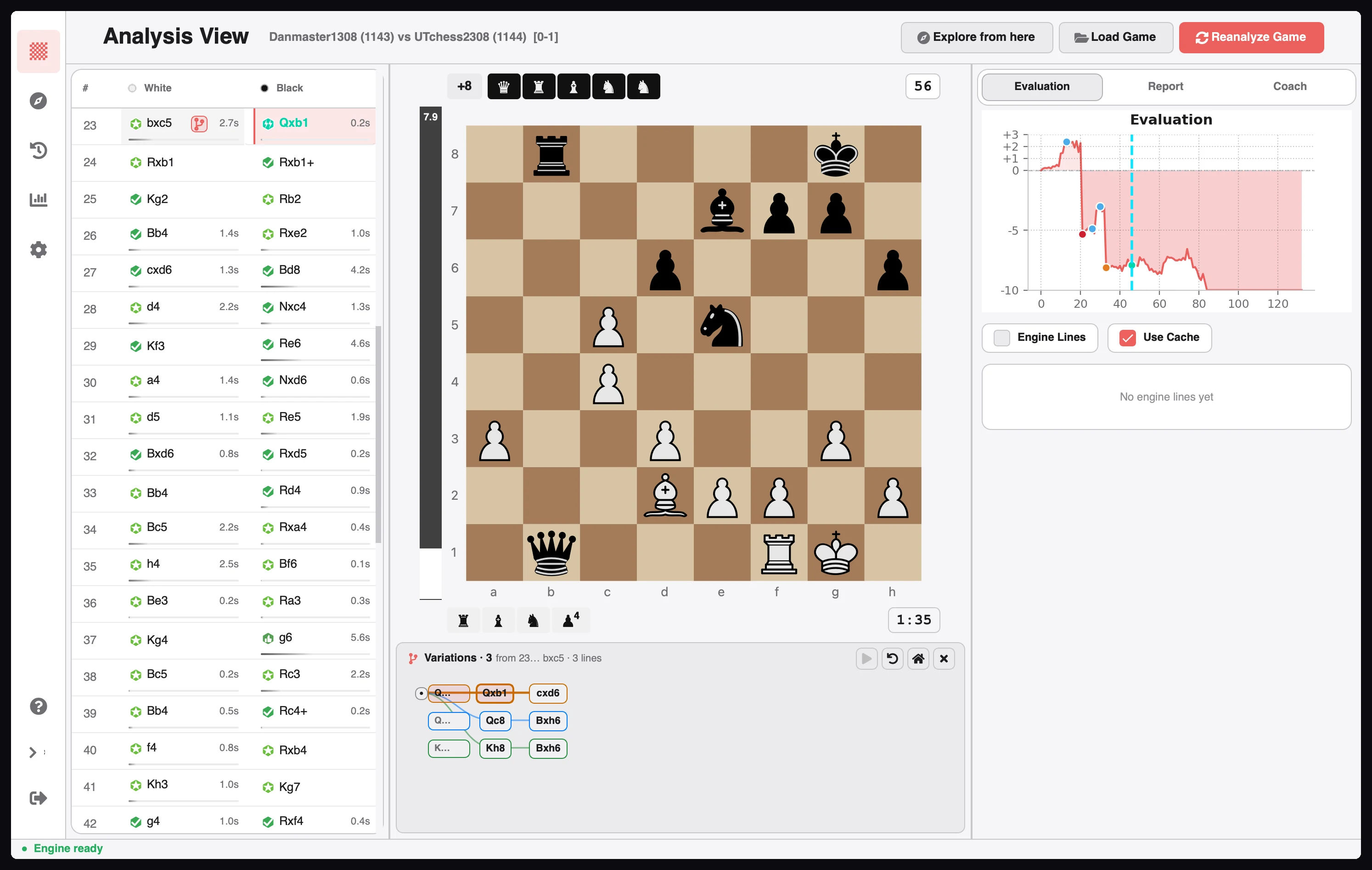
There are two entry points, both in the Evaluation tab of the analysis workspace:
Once a tree is open, play any legal move on the board to extend it. Playing a different move from a position that already has one creates a sibling branch instead of replacing the line.
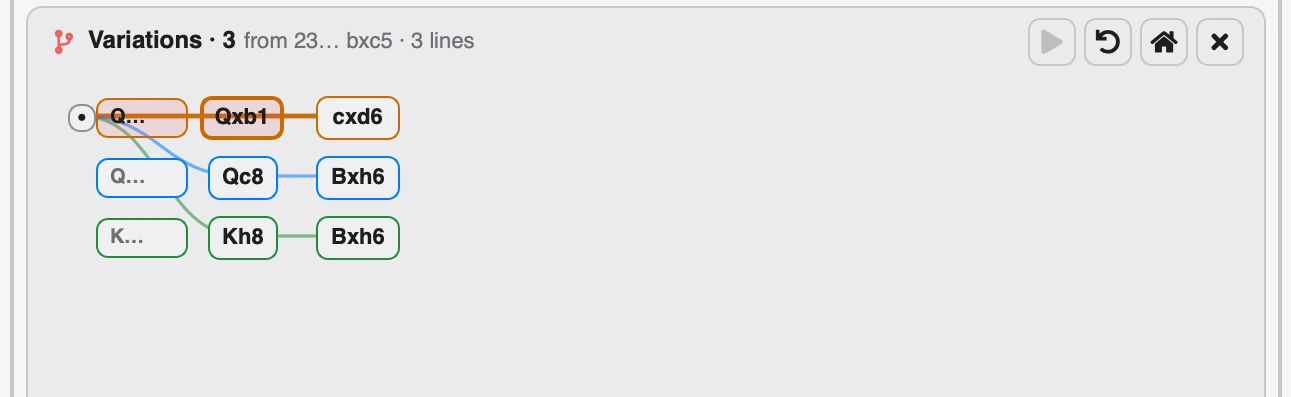
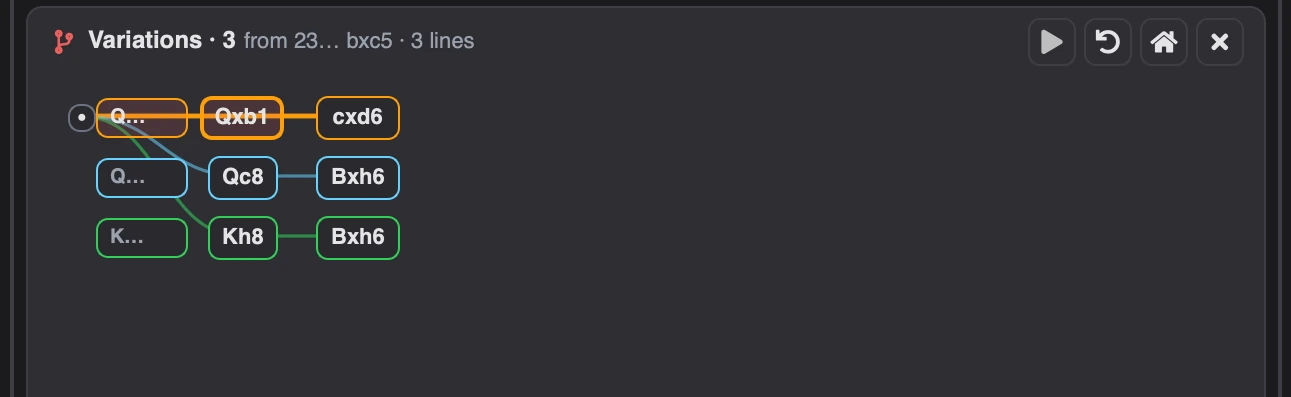
| Part | Meaning |
|---|---|
| Header | How many trees exist from this position, the branch point, and how many sibling lines it holds |
| Dot on the left | The branch point, meaning the game position itself |
| Coloured lanes | One lane per branch; each colour is a separate line |
| Pills | One node per move, labelled with SAN; the active node is outlined |
| Connectors | Show which node each move continues from |
Click any pill to jump to that position. Drag the background to pan, scroll to move vertically, and
Shift-scroll to move horizontally.
The controls on the right act on the whole tree:
| Control | Action |
|---|---|
| ▶ | Play the engine's best move from the current node |
| ↶ | Undo the last variation move |
| ⌂ | Return to the branch point |
| ✕ | Exit variation mode and return to the game |
When a position can go several ways, each move you try becomes a sibling branch. That is how the
three lanes above exist: Qxb1, Qc8, and Kh8 are three separate answers to the same position.
| Action | Keys |
|---|---|
| Previous sibling branch | Alt+↑ |
| Next sibling branch | Alt+↓ |
| Exit variation mode | Esc |
| Previous / next move inside a line | ← / → |

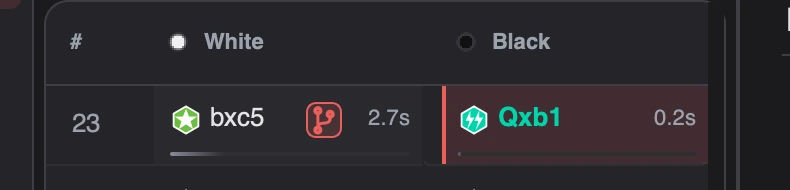
The move list marks the game move where a tree starts. The badge shows how many trees are saved on that position; click it to reopen them without leaving the game view.
Variations read the same engine output described in How Analysis Works. For position-level research outside a game, use the Opening Explorer.
Related guides
Download Chess Analyzer Pro for Windows, macOS, or Linux. 100% free, private, and open-source.