Opening Explorer
Back to Docs
Download Free
The Opening Explorer is a standalone panel for exploring chess positions independently of your loaded game. Access it by right-clicking any move in the main analysis and selecting Explore from here, or open it directly from the sidebar.
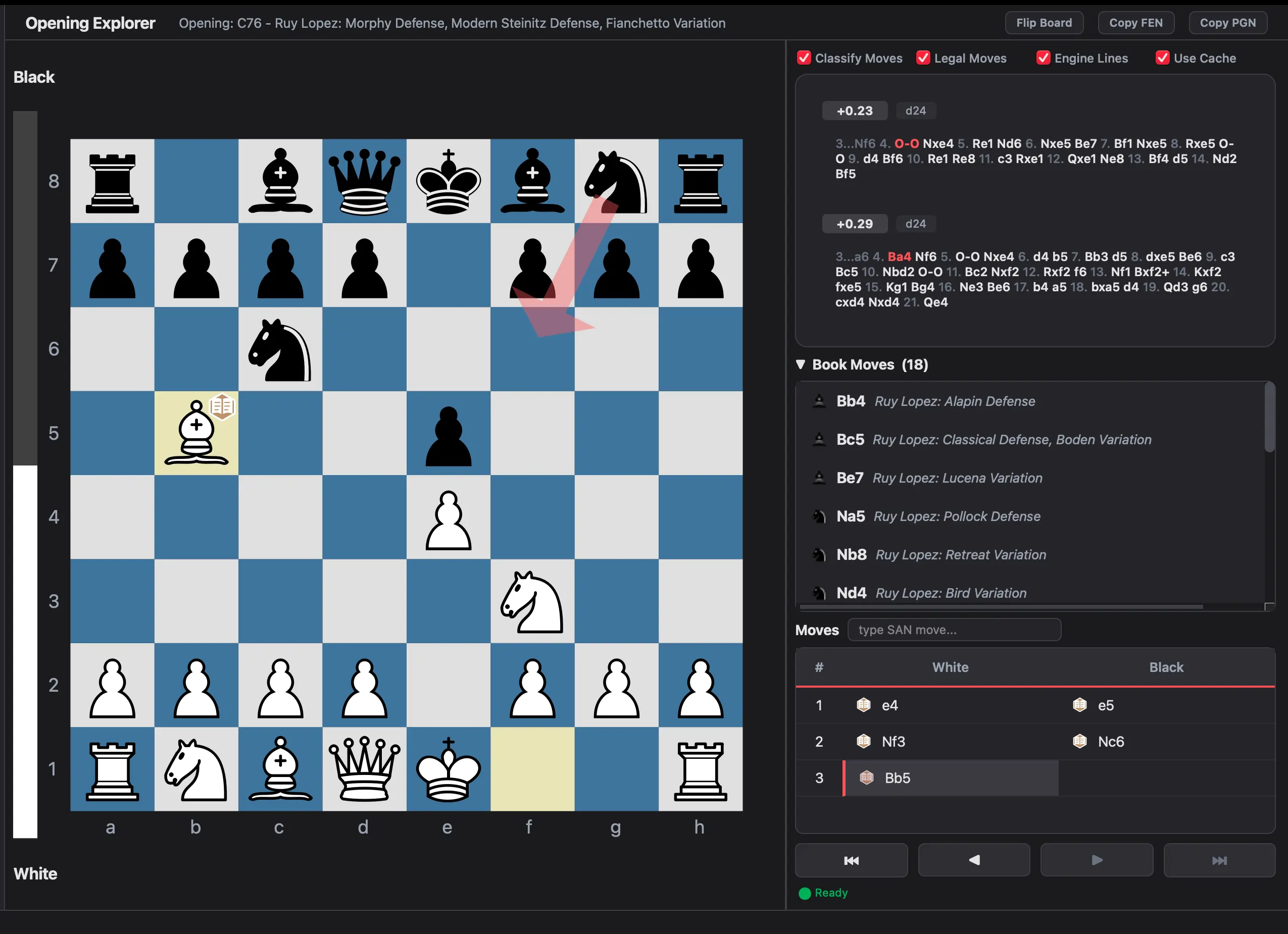 Analysis Explorer - independent board with book moves and engine lines
What You Can Do
- Explore variations on an independent board without disturbing your loaded game
- Live Stockfish analysis runs on the current position
- Book moves from the Lichess database show the most played master responses
- Polyglot books - if you've configured a
.binopening book, its moves appear alongside Lichess data - Move classification on explored lines (Best, Excellent, Inaccuracy, etc.)
- Copy FEN and Copy PGN buttons to export positions
Lichess Opening Explorer (v2.3.0+)
The Explorer integrates with Lichess's opening database to provide master and public game statistics:
- Dual Database Lookups: Switch between the Lichess Masters Database (curated grandmaster games from 1952) and the Lichess Public Database (millions of rated online games).
- Color-Coded Ratio Bars: Each candidate move displays a 3-part colored bar illustrating the percentage distribution of White Wins (green), Draws (gray), and Black Wins (blue/red).
- Move Statistics: View total games played, play frequency, win rates, and average opponent rating.
- Local SQLite Caching: Results are automatically cached on your device for 2 days. Exploring common openings (like the Sicilian or Ruy Lopez) loads instantly without hitting network limits.
- Offline Fallback: Bundled local book moves ensure basic opening lookups remain functional even without an internet connection.
Engine Lines Panel
Stockfish runs in parallel with the book panel, showing:
- Top engine candidates for the current position
- Evaluation scores in centipawns
- Multi-PV support (multiple candidate moves)
- Classify Moves toggle - enables live classification badges on explored lines
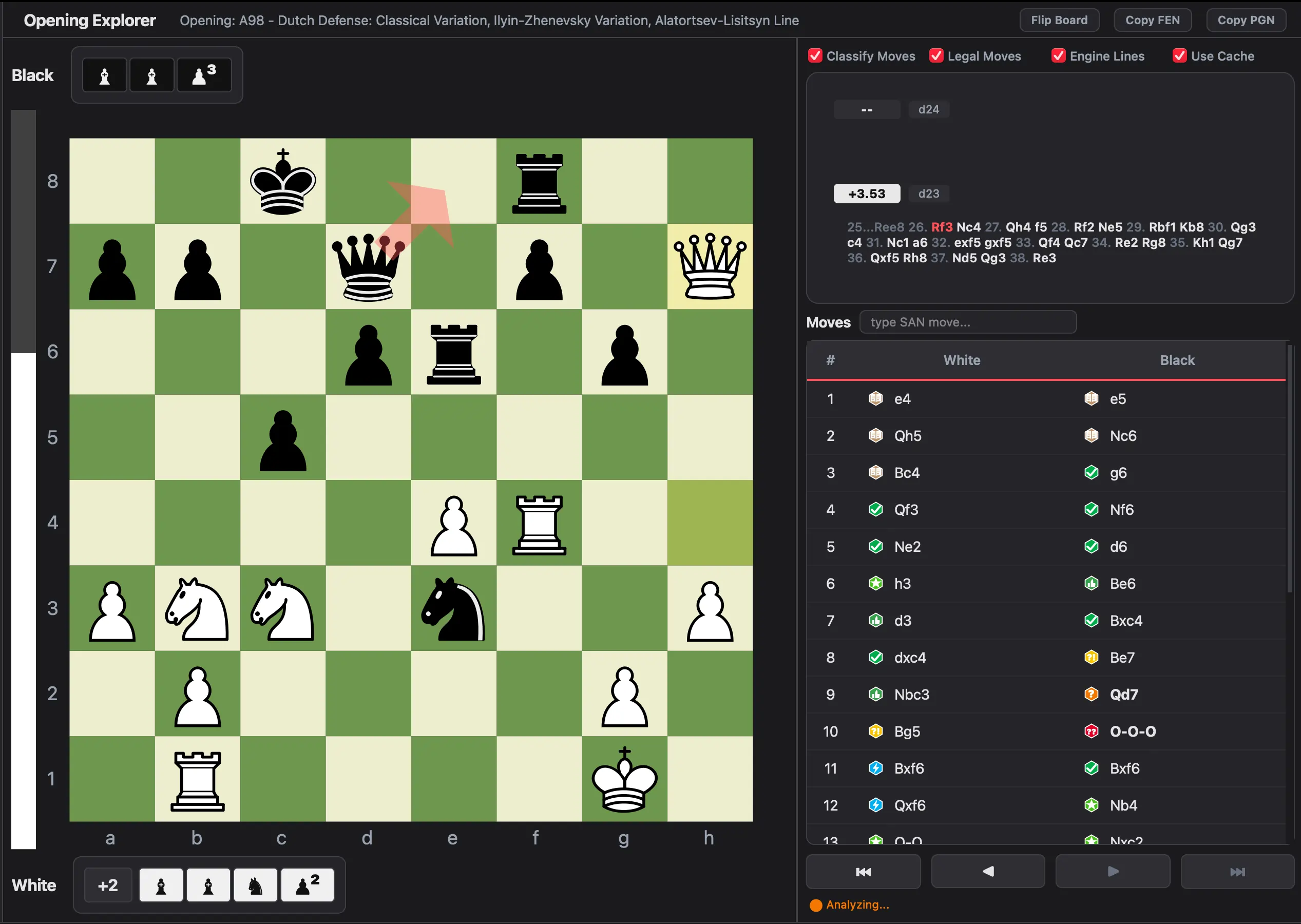 Engine Lines panel - Stockfish evaluation with Multi-PV
Independent Board
The Explorer has its own chess board that:
- Supports drag-and-drop piece movement
- Accepts inline SAN text input (type
Nf3and the board responds) - Shows evaluation in real time
- Navigates moves independently from the main analysis
The Explorer tab stays open when you switch back to the main analysis view.
Polyglot Opening Books
If you have a Polyglot binary opening book (.bin file), you can load it in Settings → Book Settings. Book moves from the Polyglot file are shown alongside Lichess data in both the Explorer and the main analysis move list.
Supported via the chess.polyglot.MemoryMappedReader - files are opened lazily on first access.
Use Cases
- Test variations from your game without affecting the main analysis
- Compare engine suggestions against master-level opening play
- Study openings by playing through popular lines with live engine evaluation
- Analyze your repertoire by exploring different responses to your opponents' moves
Ready to analyze your chess games?
Download Chess Analyzer Pro for Windows, macOS, or Linux. 100% free, private, and open-source.