Your First Analysis
Setup & Usage9
Project2
Go from an empty board to a finished game analysis in five minutes.
This page is the shortest path from a fresh install to a fully analyzed game. It assumes
Stockfish is already configured; if the status bar does not show ● Engine ready, finish
Getting Started first.
Press Ctrl+O, or click Load Game in the analysis header.
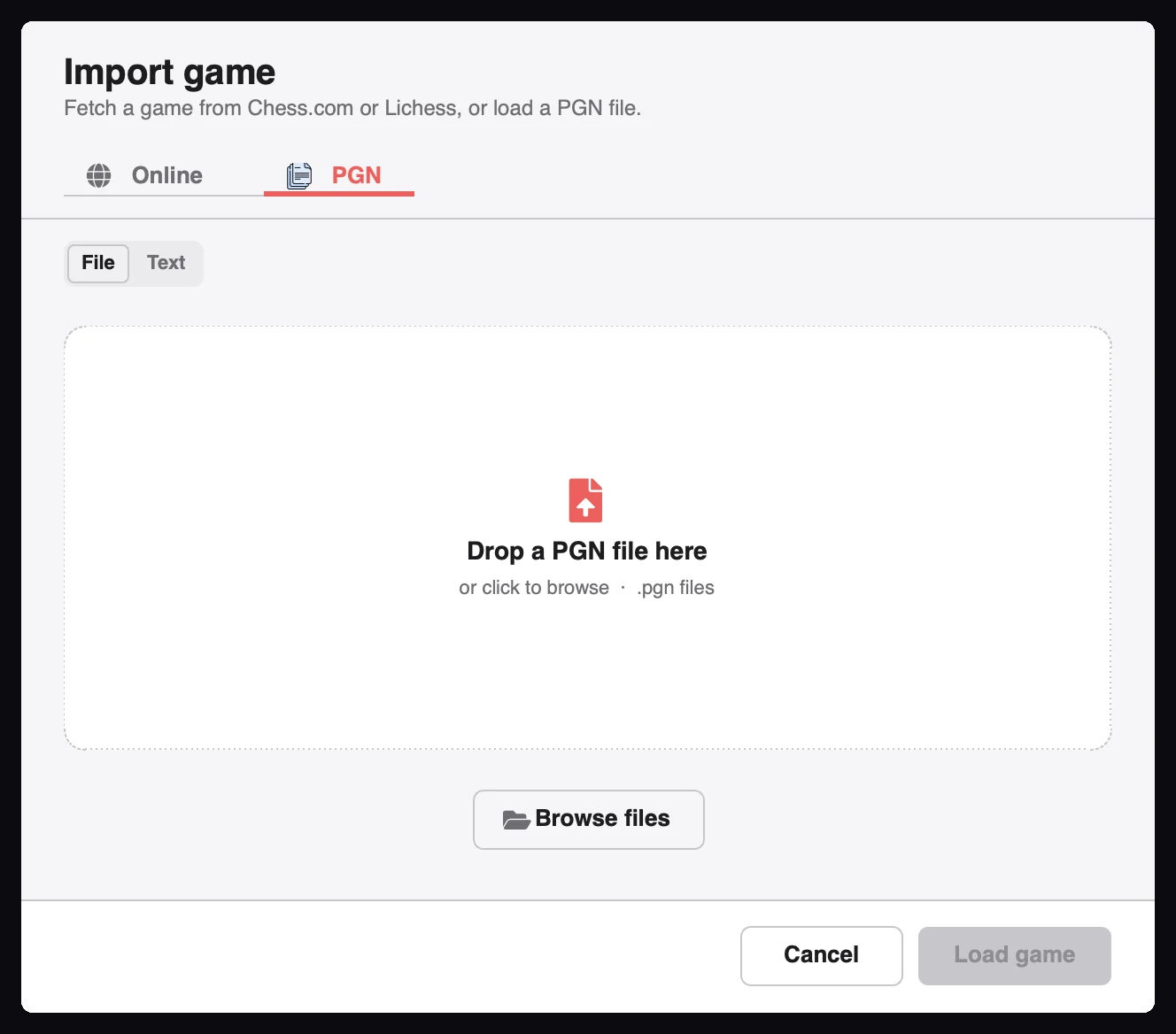
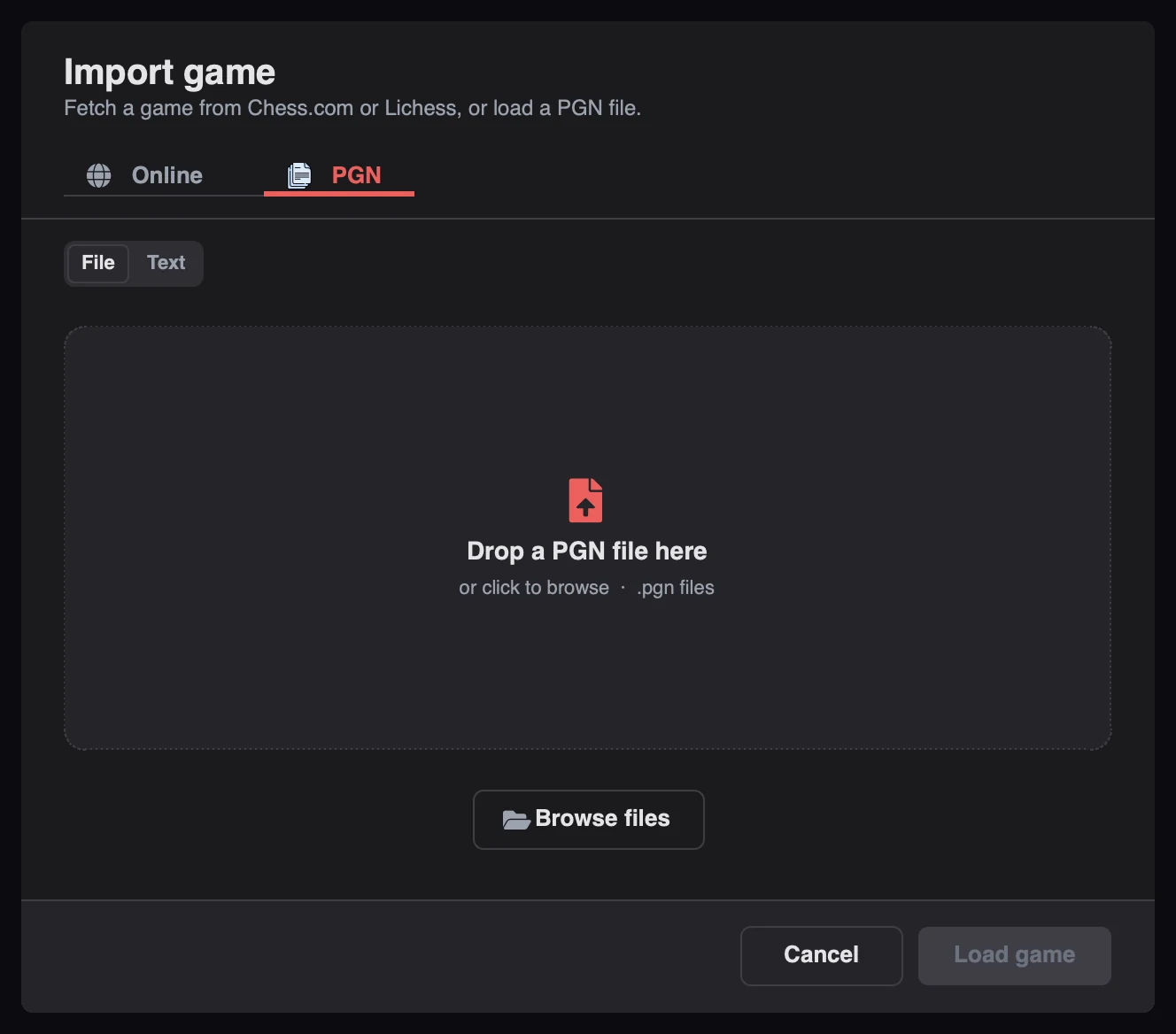
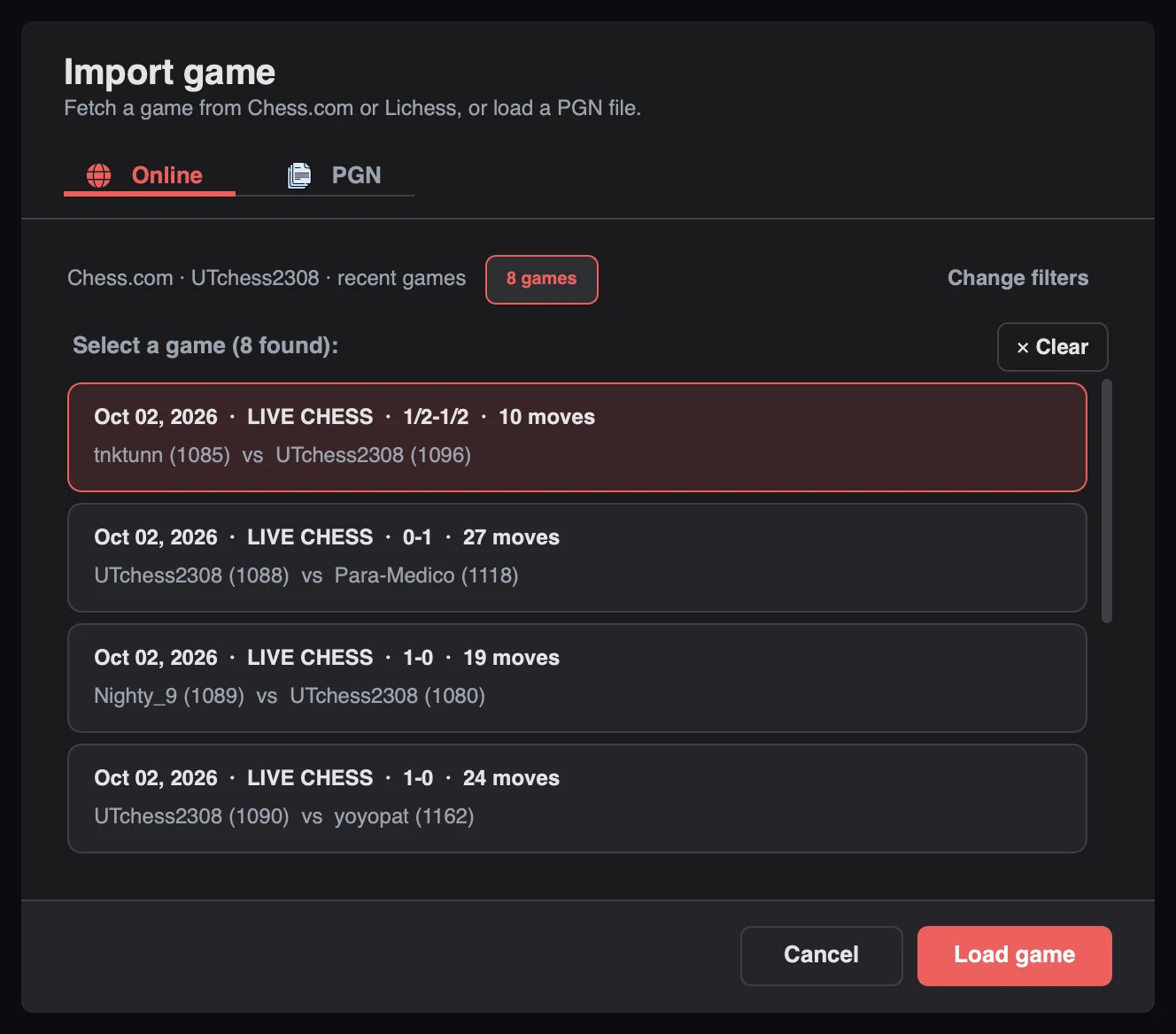
Choose one of three sources:
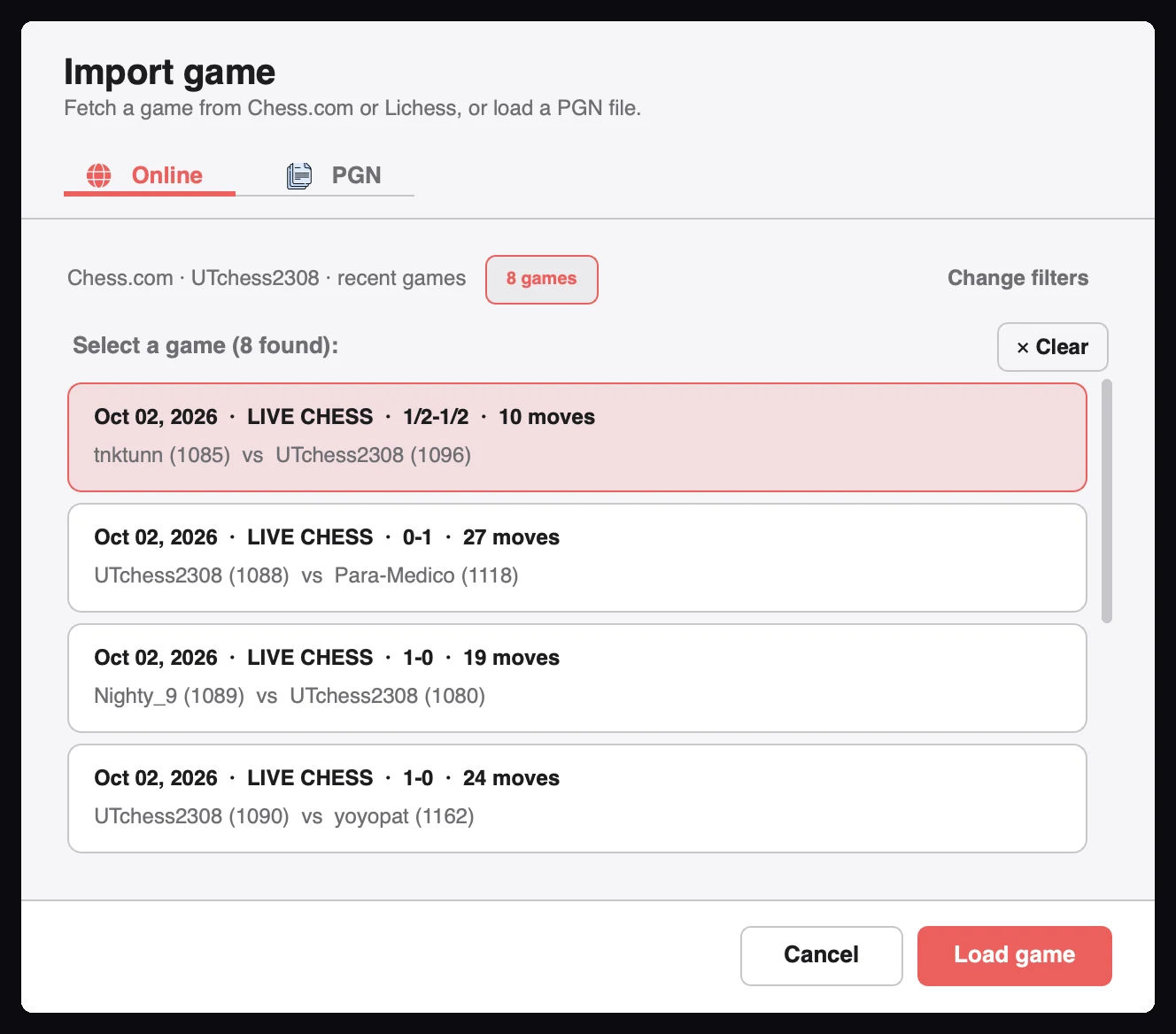
.pgn file or drop it onto the dialog.Select a game in the results list, then click Load game.
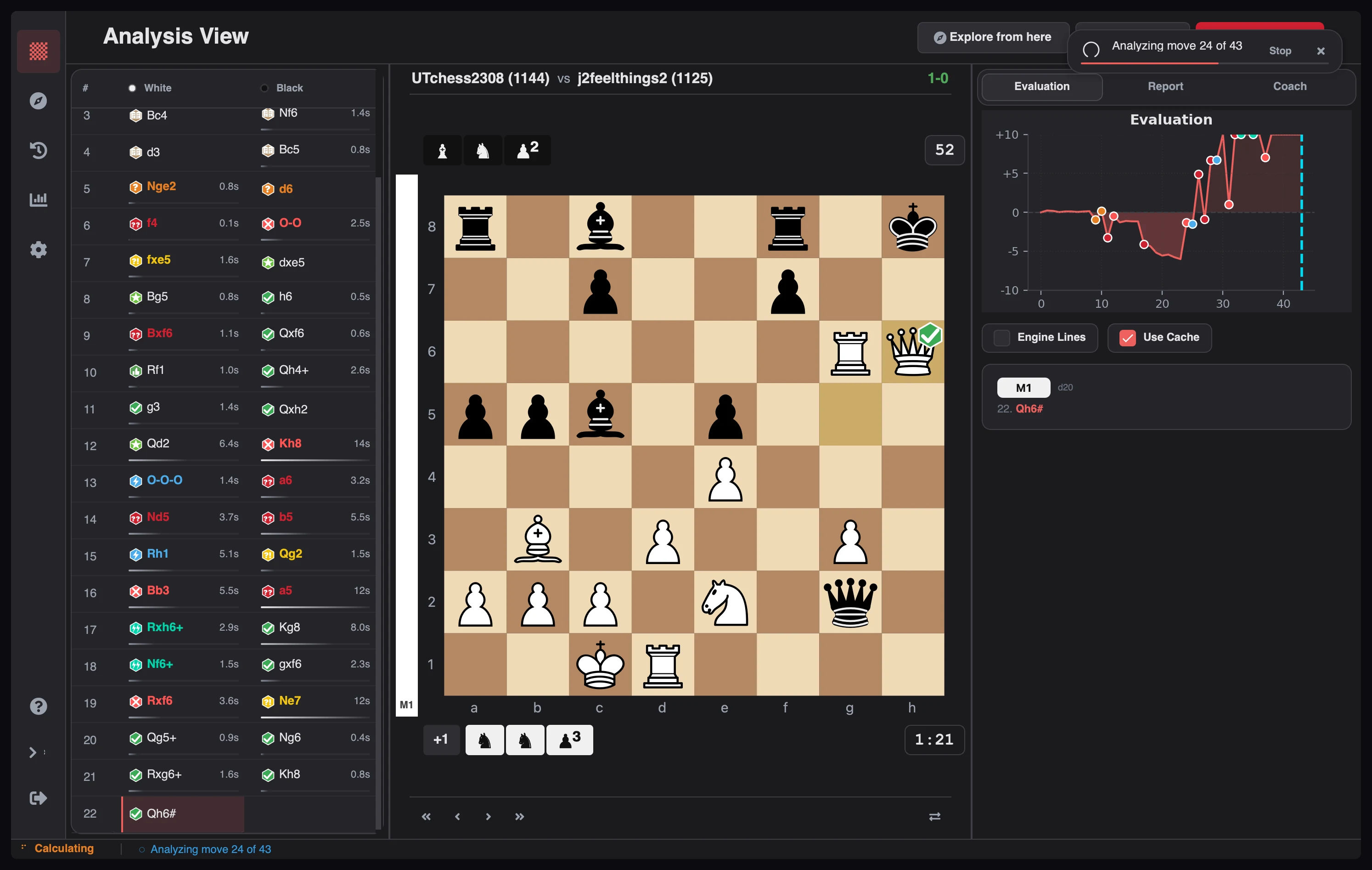
Click Analyze Game in the header. Stockfish runs on a background thread, so the window stays responsive while it works.
Progress streams in move by move: each classification badge, evaluation, and engine line appears as soon as that position is evaluated. You can start reviewing before the game finishes.
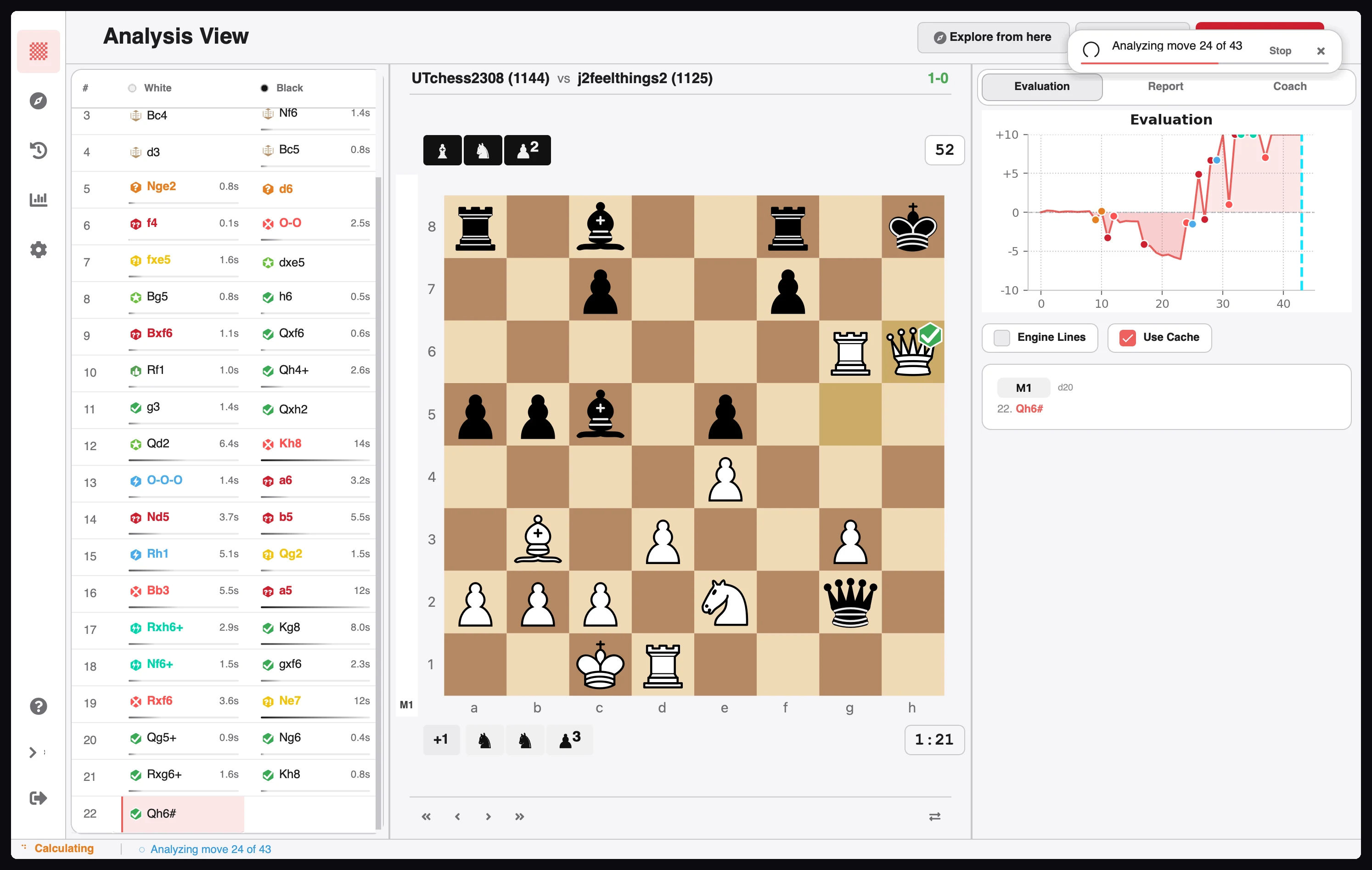
To stop early, click Pause. The game is saved as paused, and Resume continues from the
first unanalyzed move.
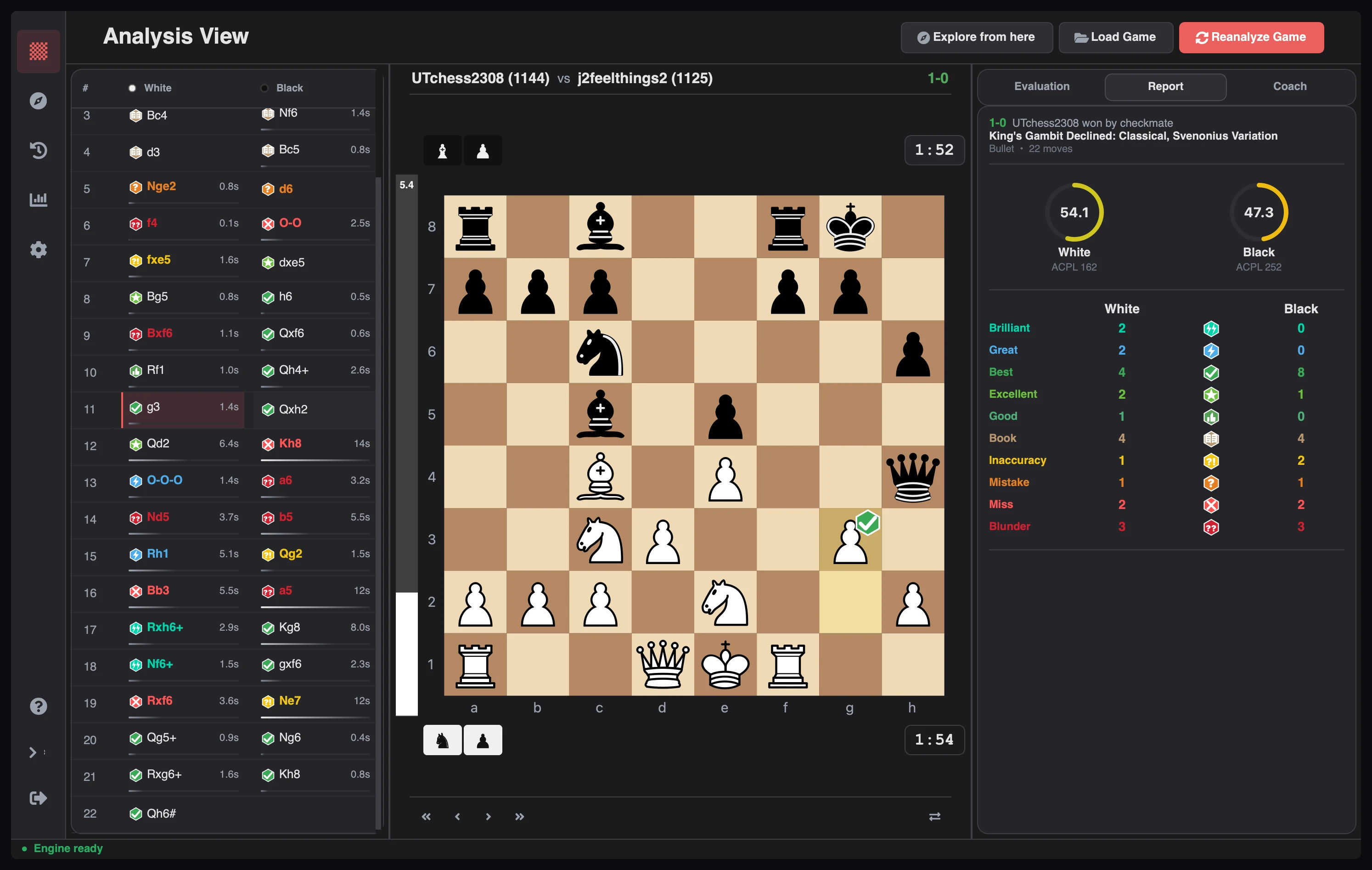
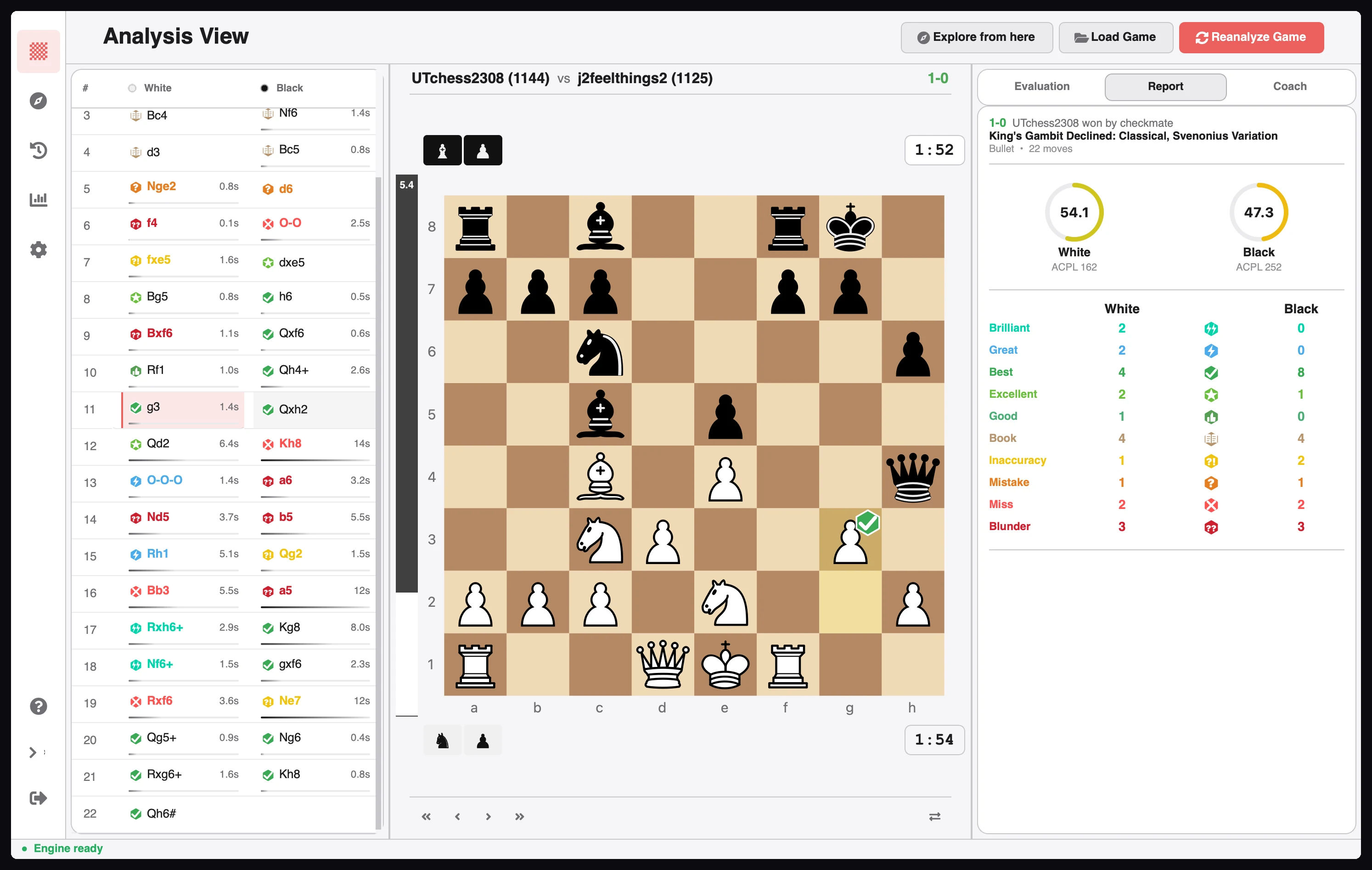
When analysis completes, the workspace fills in:
| Area | What it tells you |
|---|---|
| Move list | Every move with a classification badge and evaluation |
| Evaluation graph | How the advantage moved through the game |
| Report tab | Accuracy, ACPL, and phase-by-phase performance |
| Coach tab | Grounded explanations for individual moves and the whole game |
| Engine lines | Best continuations for the selected position |
Related guides
Download Chess Analyzer Pro for Windows, macOS, or Linux. 100% free, private, and open-source.