Stats Dashboard & Game History
Back to Docs
Download Free
Chess Analyzer Pro tracks all analyzed games in a local database and provides a statistics dashboard for performance insights.
Stats Dashboard
Navigate to the Stats tab to see visual breakdowns of your chess performance across all analyzed games.
Stats Cards
| Card | What It Shows |
|---|---|
| Result Distribution | Win / Loss / Draw breakdown by color (White/Black) |
| Ending Distribution | How games ended - Checkmate, Resignation, Time, Abandon |
| Move Quality | Classification breakdown (Brilliant, Best, Mistakes, Blunders, etc.) |
| Accuracy Trend | Line chart of accuracy over your recent games |
| Color Performance | Stats split by playing as White vs Black |
| Top Openings | Most played openings with win rate |
| AI Coach | Personalized coaching tips (requires LLM provider configuration) |
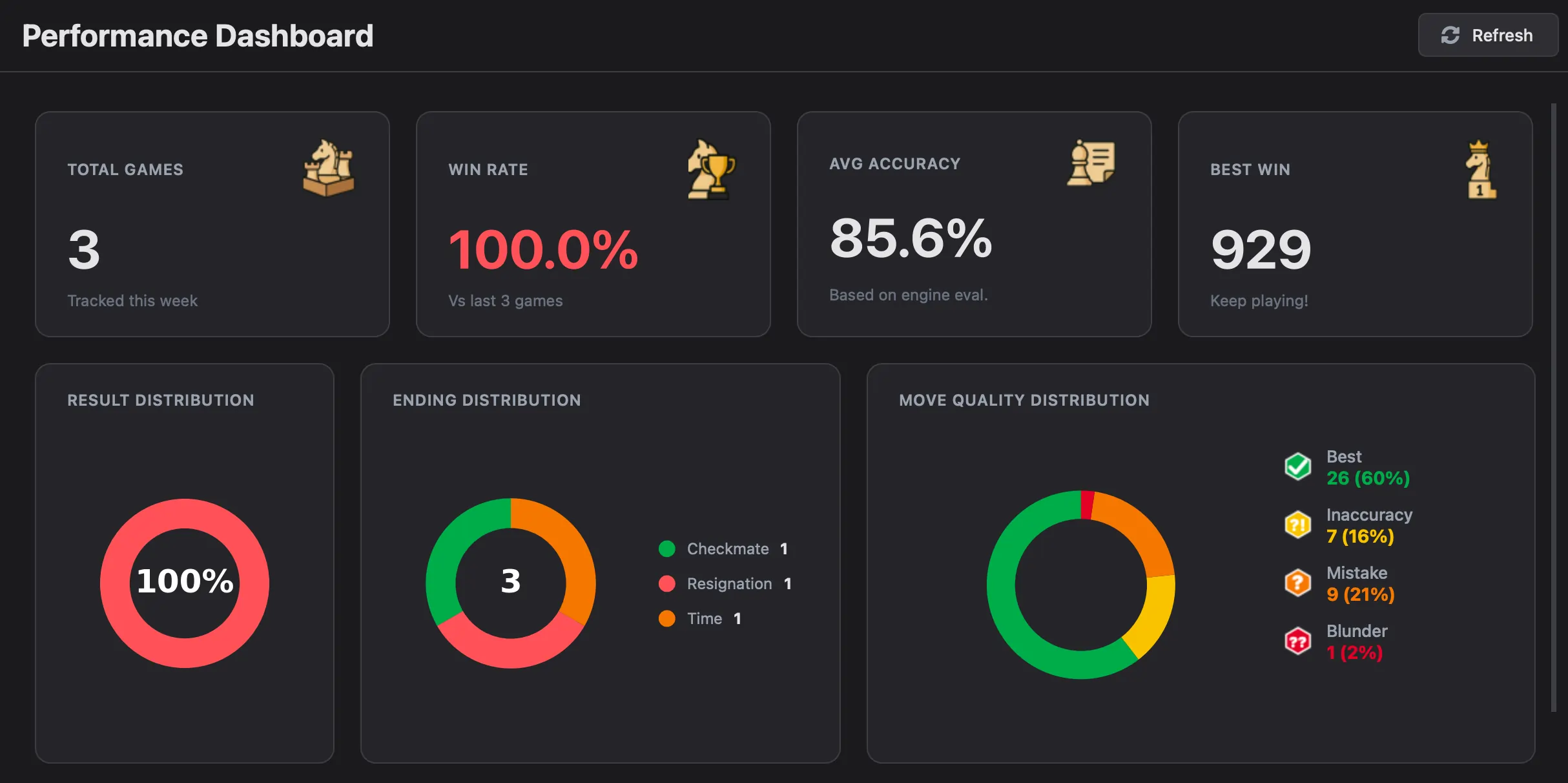 Stats dashboard - donut charts for results and endings
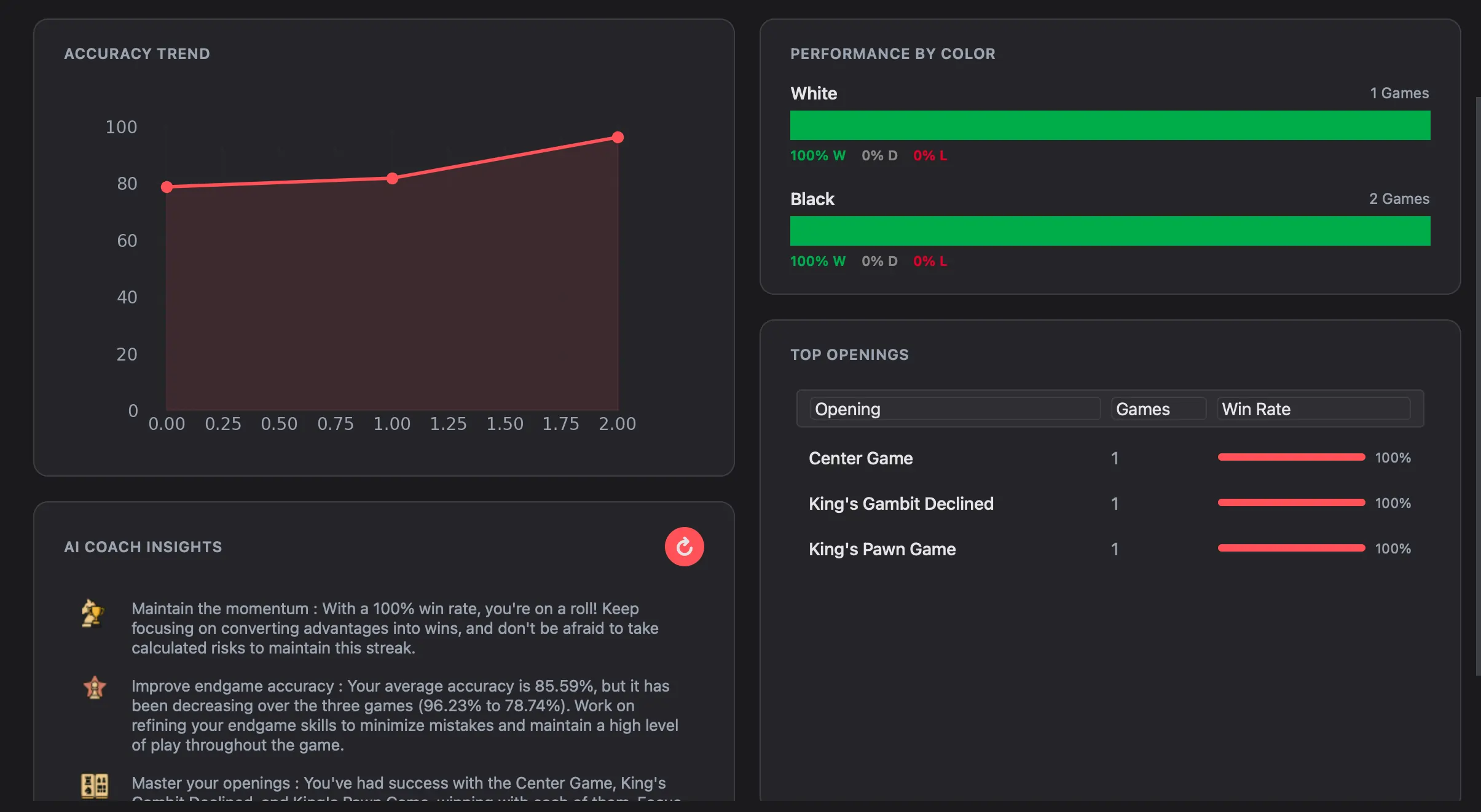 Stats dashboard - accuracy trend line chart
How Stats Are Filtered
Stats automatically filter to games matching your configured usernames. Set your Chess.com and Lichess usernames in Settings → Player Usernames to see only your games.
Click Refresh to recalculate after analyzing new games.
Game History
The History tab stores all analyzed games in a searchable archive with flexible view modes.
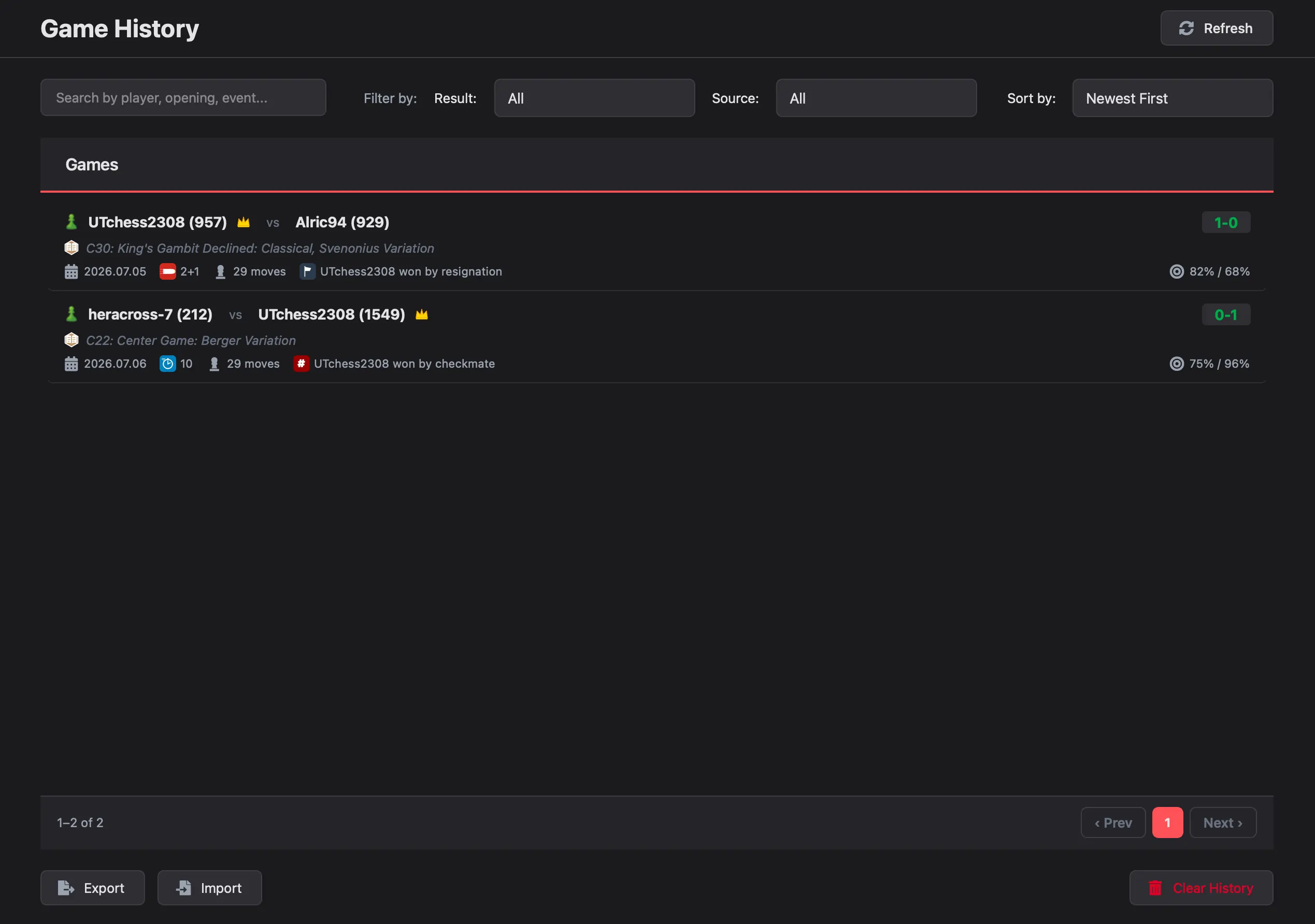 Game History - paginated list with source icons
View Modes (v2.3.0+)
Toggle between two distinct display modes in the top toolbar:
- Detailed Game Cards: Large visual cards showing player avatars, ratings, circular accuracy gauges, ECO codes, opening names, and termination status.
- Compact Table Mode: High-density table layout ideal for rapidly scanning through hundreds of games.
Time Control Badges
Games are automatically tagged with distinct visual badges:
- Bullet: Ultra-fast games (≤ 2 min)
- Blitz: Fast games (3–5 min)
- Rapid: Standard club time controls (10–30 min)
- Classical: Long time controls (> 30 min)
Search and Filter
- Search: By player username, opening name, event, or ECO code.
- Date Range (v2.3.0+): Filter your library by predefined brackets (Last 7 Days, This Month) or custom start and end dates.
- Result Filter: Show only Wins, Losses, or Draws.
- Source Filter: Filter by Chess.com, Lichess, or local PGN files.
- No-Scroll Pagination: Browse page-by-page with fixed controls that prevent page jumping.
Load a Saved Game
Double-click any game in the history list to reload it into the analysis view. The game is loaded from the SQLite database with all analysis results intact.
Delete Games
Click the delete button on any game to remove it from the database. Individual deletion lets you manage your library without clearing everything.
CSV Export
Export all game metadata and analysis results to a CSV file for backup or external analysis.
- Click Export in the History tab.
- Choose a save location.
- All games are saved to
games.csvincluding metadata and statistics.
 Export and Import buttons in History
CSV Import
Restore games from a previously exported CSV file.
- Click Import.
- Select the
games.csvfile. - Games are restored - duplicates are automatically skipped.
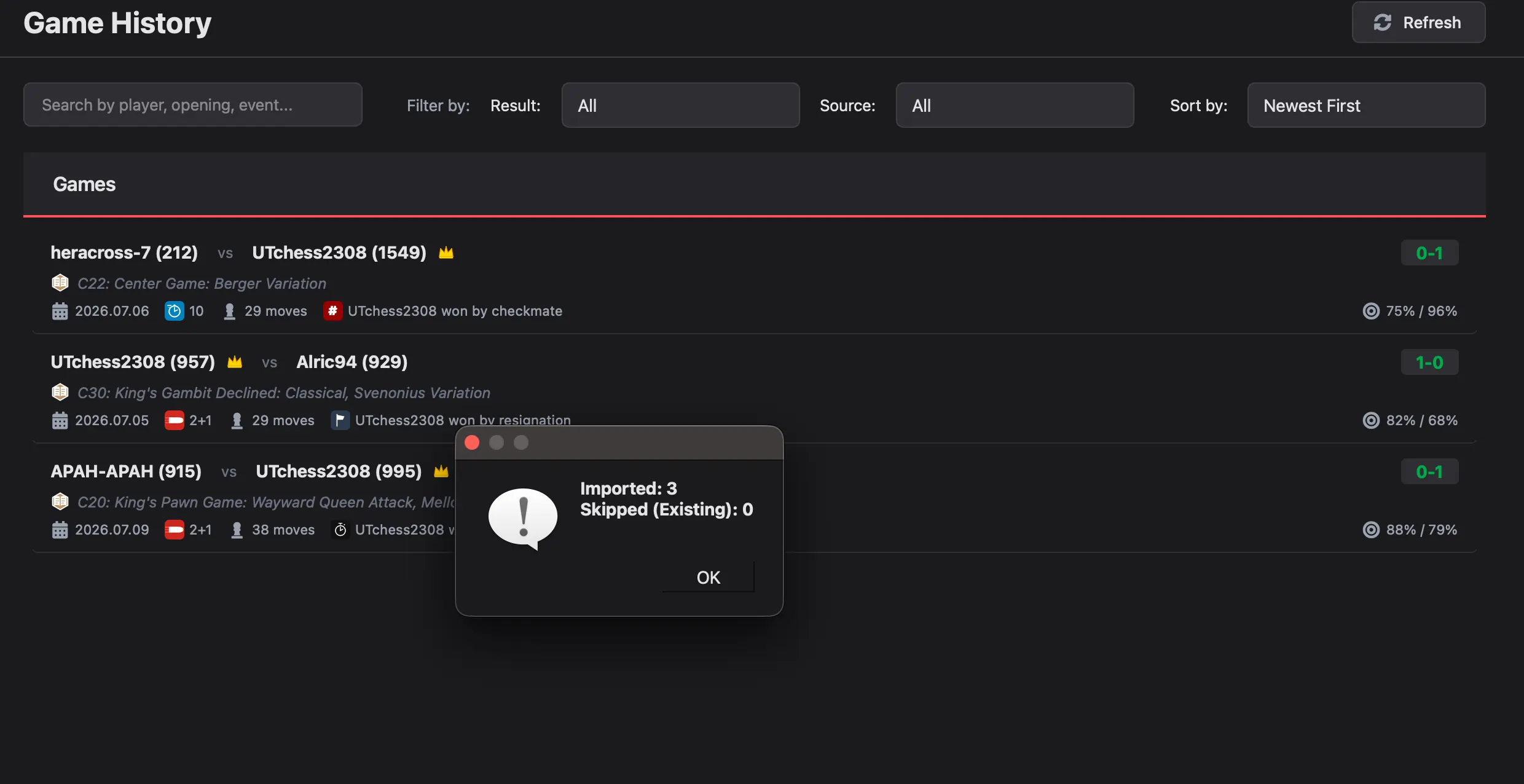 Game imported successfully from backup
Data Storage
All game data is stored locally in SQLite databases. See Storage for details on file locations and schema.
For data management options (clear cache, clear all data), see Customization.
Ready to analyze your chess games?
Download Chess Analyzer Pro for Windows, macOS, or Linux. 100% free, private, and open-source.