All articles Download
Download App9 min5 min6 min
3 min read
How to Get Unlimited Game Review for Free
Get unlimited game review for free with local analysis. Import games from Chess.com and Lichess, run Stockfish locally, and analyze as many games as you want.
Chess Analyzer Pro
A fast, free, and open-source desktop app for unlimited local game analysis.
Every chess player knows the frustration.
You finish a long game. You want to review it, see what you missed, understand the turning points. But your free game review for the day is already used up.
Chess.com gives free accounts one full Game Review per day. After that, you either pay for Diamond or get a stripped-down version. Lichess offers free analysis, but it runs in your browser through WebAssembly. It is slower than native and it stops working when you lose internet.
What if you could review unlimited games for free with no catches?
You can. Here is how.
The Problem with Platform-Limited Game Review
The major chess platforms limit analysis because running engines on cloud servers costs money. It is a reasonable business decision, but it creates a bad experience for players who want to study seriously.
- Daily limits. One review per day forces you to choose which game matters most.
- Subscription costs. Ten to sixteen dollars a month adds up over a year.
- Cloud dependency. Analysis stops working without internet.
- No offline access. Your game history is tied to the platform.
None of these are technical limitations. They are business model limitations.
Unlimited Game Review with Local Analysis
The solution is simple. Run the analysis on your own computer instead of someone else's server.
When you run Stockfish locally:
- There is no daily limit. You can analyze 50 games in a row.
- It is completely free. No subscription, no ads, no hidden costs.
- It works offline. Once set up, you do not need internet.
- Your data stays private. Nothing leaves your machine.
Chess Analyzer Pro is a free, open-source desktop application that makes this easy. It works on Windows, macOS, and Linux.
How to Analyze Unlimited Games
Step 1: Download the Tools
Get Chess Analyzer Pro for your operating system.
Download Stockfish, the free chess engine that powers the analysis.
Step 2: Connect Stockfish
Open Chess Analyzer Pro. Go to Settings and click Chess Engine. Browse to your Stockfish binary and click Test Engine.
Step 3: Import Your Games
Click Load Game or press Ctrl+O. You have several ways to import:
- Chess.com tab. Enter your Chess.com username or paste a game URL.
- Lichess tab. Enter your Lichess username or paste a game URL.
- PGN File. Drag and drop any .pgn file.
- PGN Text. Paste raw PGN notation directly.
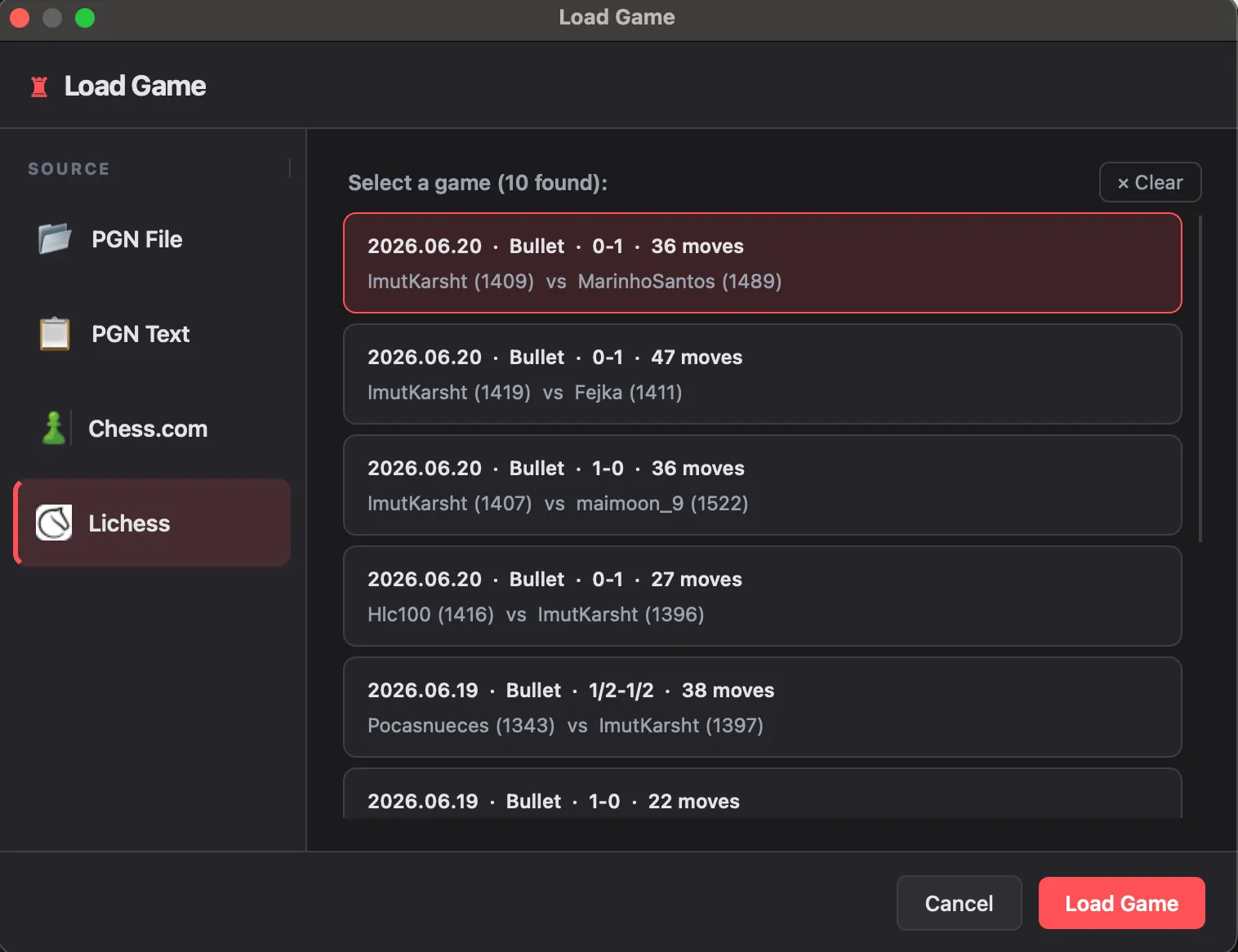 Load dialog with Lichess tab active — username field and fetched game list
Step 4: Analyze
Click Analyze Game. Stockfish evaluates every move on your hardware. No limits, no queues, no waiting for tomorrow.
What Unlimited Analysis Gets You
When analysis finishes, every move in your game gets:
- An accuracy score from 0% to 100%
- A move classification: Brilliant, Great, Best, Excellent, Good, Inaccuracy, Mistake, Blunder, Miss
- The top Stockfish line for each position
- An evaluation graph showing where the game swung
Your games are saved to a local database. You can search them by player, opening, date, or ECO code. Track your accuracy trends over time. Export your history to CSV.
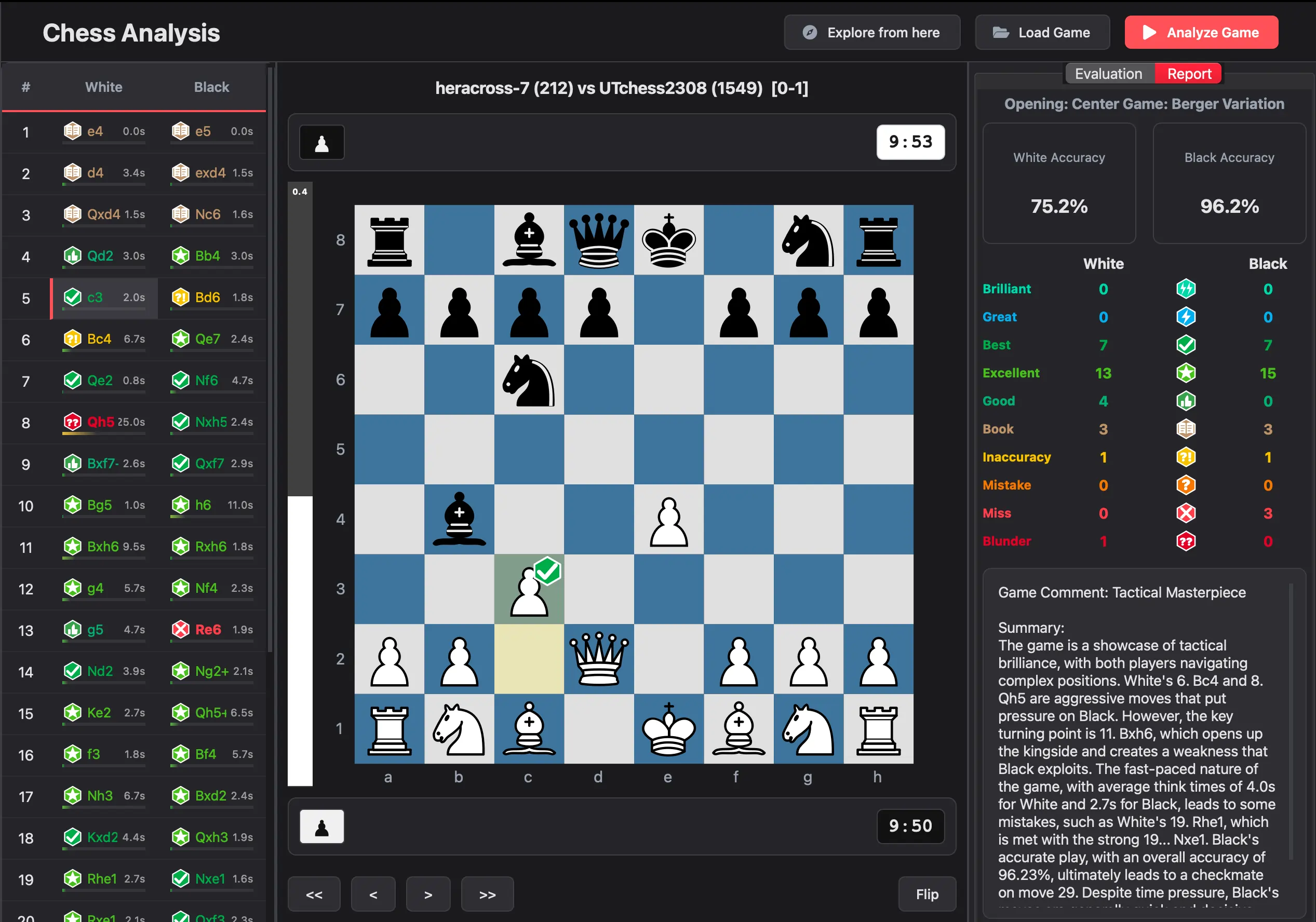 Analysis complete — move list, eval graph, accuracy score, and engine lines
How People Actually Use This
The most common workflow looks like this:
- Play your games on Chess.com, Lichess, or over the board.
- Export the PGN or use the app's built-in API import.
- Analyze locally with unlimited reviews.
- Track your performance over time in the metrics dashboard.
You get the playing experience of the big platforms with the unlimited analysis of a local engine.
The Bottom Line
Unlimited game review exists. You just need to move the analysis from the cloud to your own machine. It is free, it is private, and it works with any game source.
Download Chess Analyzer Pro and start reviewing unlimited games today.
Links
- Download Chess Analyzer Pro: chessanalyzer.xyz/releases
- Lichess: lichess.org
- GitHub Repository: github.com/imutkarsht/Chess_analyzer
Try Chess Analyzer Pro
Analyze games with Stockfish offline, review blunders, and track your performance—100% free.
Written by
Utkarsh Tiwari
More from the blog
Chess Analyzer Pro v2.3.0: Complete Light Mode, Live Stockfish Analysis & Lichess Opening Explorer
Chess Analyzer Pro v2.3.0 is out. Featuring a full Light Mode with dynamic theming, real-time progressive Stockfish analysis, Lichess Opening Explorer integration, and redesigned game history.
Best Free Stockfish GUIs for Chess Analysis (2026 Guide)
Compare the best free Stockfish GUIs for chess analysis — Arena, Banksia GUI, Chess Analyzer Pro, Scid vs PC, and more. Find the right tool for local analysis.
Chess Analyzer Pro v2.2.0: Custom Themes, Setup Wizard & A Much Better First Day
v2.2.0 is out. This release focuses on the things that matter before you analyze your first game - getting the engine running, looking the way you want, and knowing where everything is.