Chess Analyzer Pro v2.5.0: AI Coach, Playable Variations & a Rebuilt Settings Page
Chess Analyzer Pro v2.5.0 is out. Featuring grounded AI Coach explanations, playable variation branches, a rebuilt settings page, more configuration options, a full interface pass, and a faster history view.
Chess Analyzer Pro
Free, offline Stockfish desktop analyzer. Local SQLite storage.
v2.4.0 was about seeing your patterns. This one is about understanding them: not just "this move was a blunder", but why, what the better move was, and what happens if you play it.
It also fixes something I kept putting off: the settings page. And the rest of the interface gets a proper cleanup pass.
Move classification tells you what happened. The hard part has always been why.
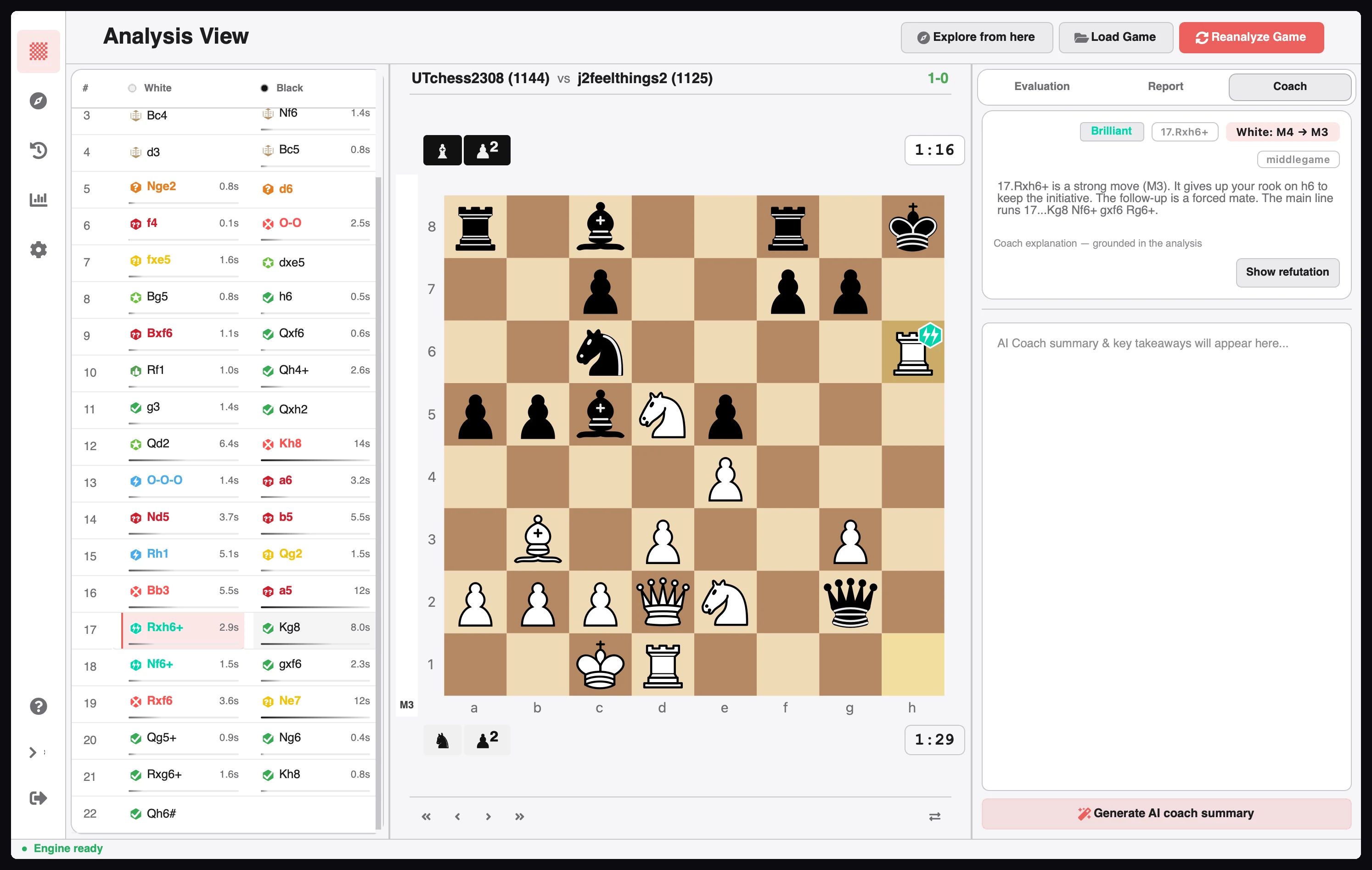
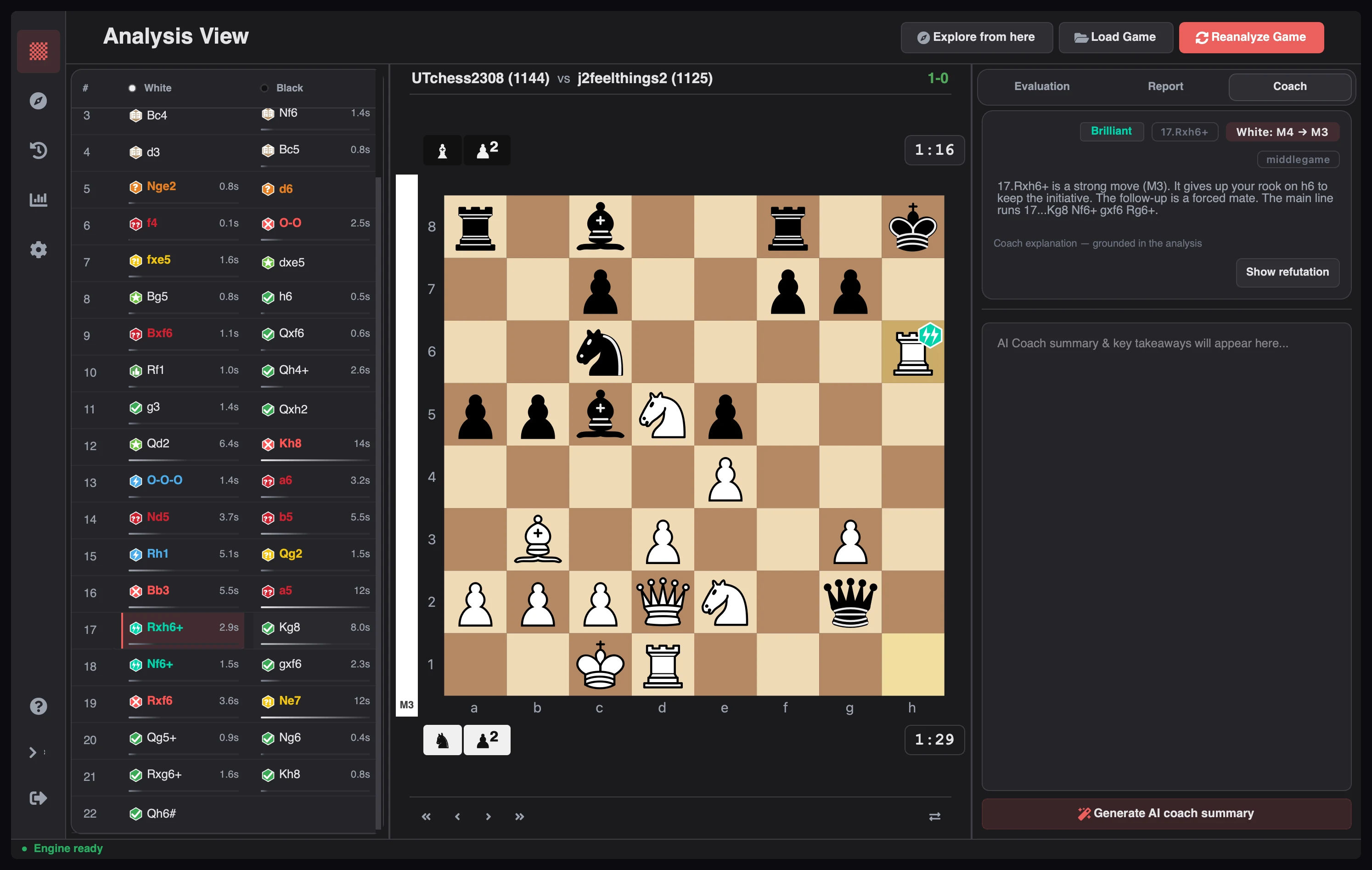
The new Coach tab explains a move in plain language: classification, evaluation swing, the engine's best move, and the refutation when one exists. For mistakes, misses, blunders, and highlights, press Ask Coach for a written explanation.
Coach tab with a move explanation showing classification, evaluation swing, and the Ask Coach action
The important part is how it gets there. I didn't want an AI feature that invents tactics, so the Coach works from a deterministic fact sheet:
Build the facts from the analysis: classification, evaluation swing, win probability, best move, refutation line, candidate moves, hanging pieces, and detected tactical motifs.
Write offline text from those facts first, so an explanation always exists.
Ask the model only when you press Ask Coach, with the fact sheet as context.
Validate the reply against that fact sheet. Invented moves, unsupported tactics, and wrong evaluations are rejected.
Fall back to the offline text on timeout, error, missing key, or an invalid reply.
That last step matters. With no provider, or on a plane, the Coach still works; it just sounds more like an engine and less like a person.
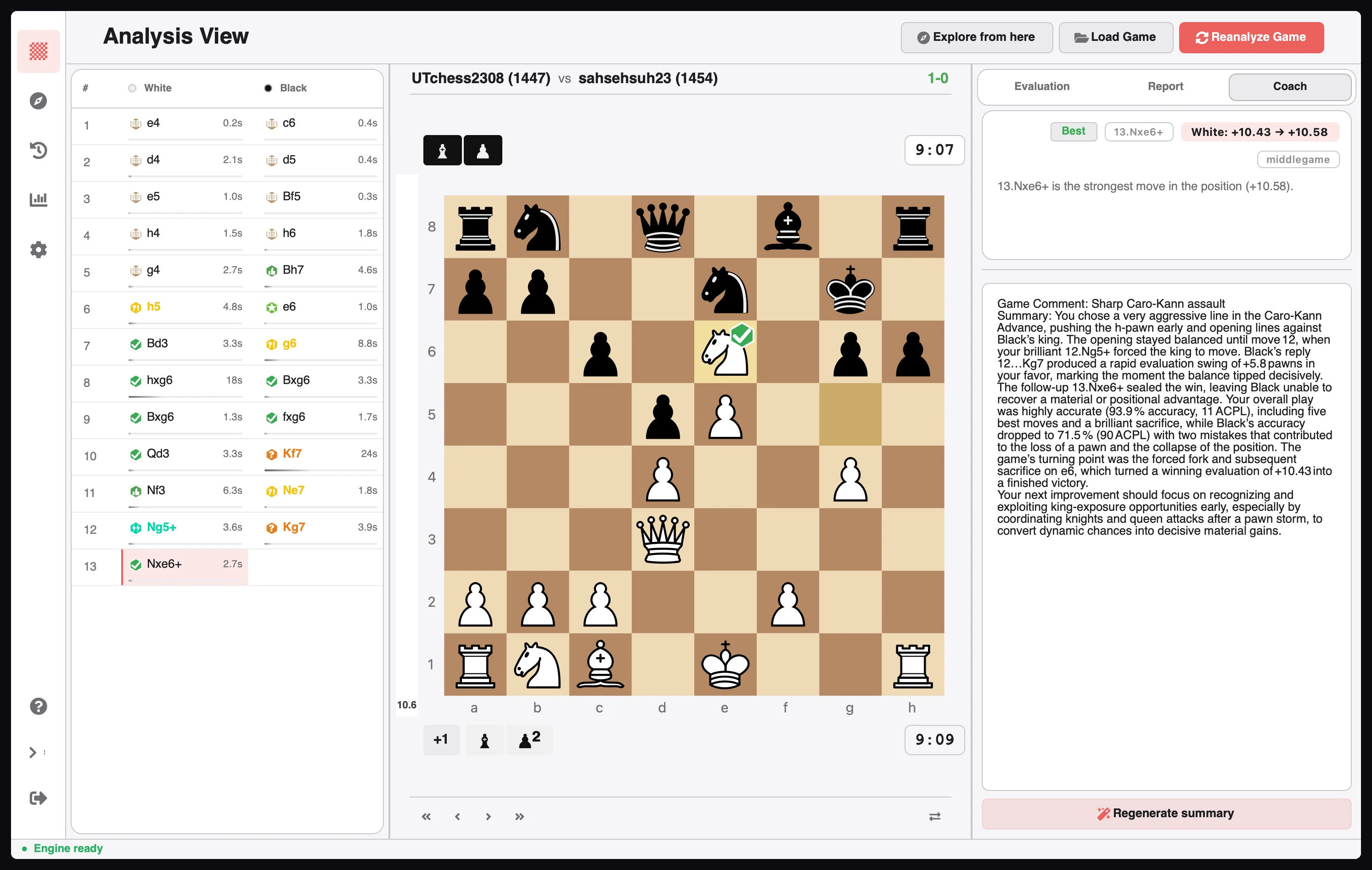
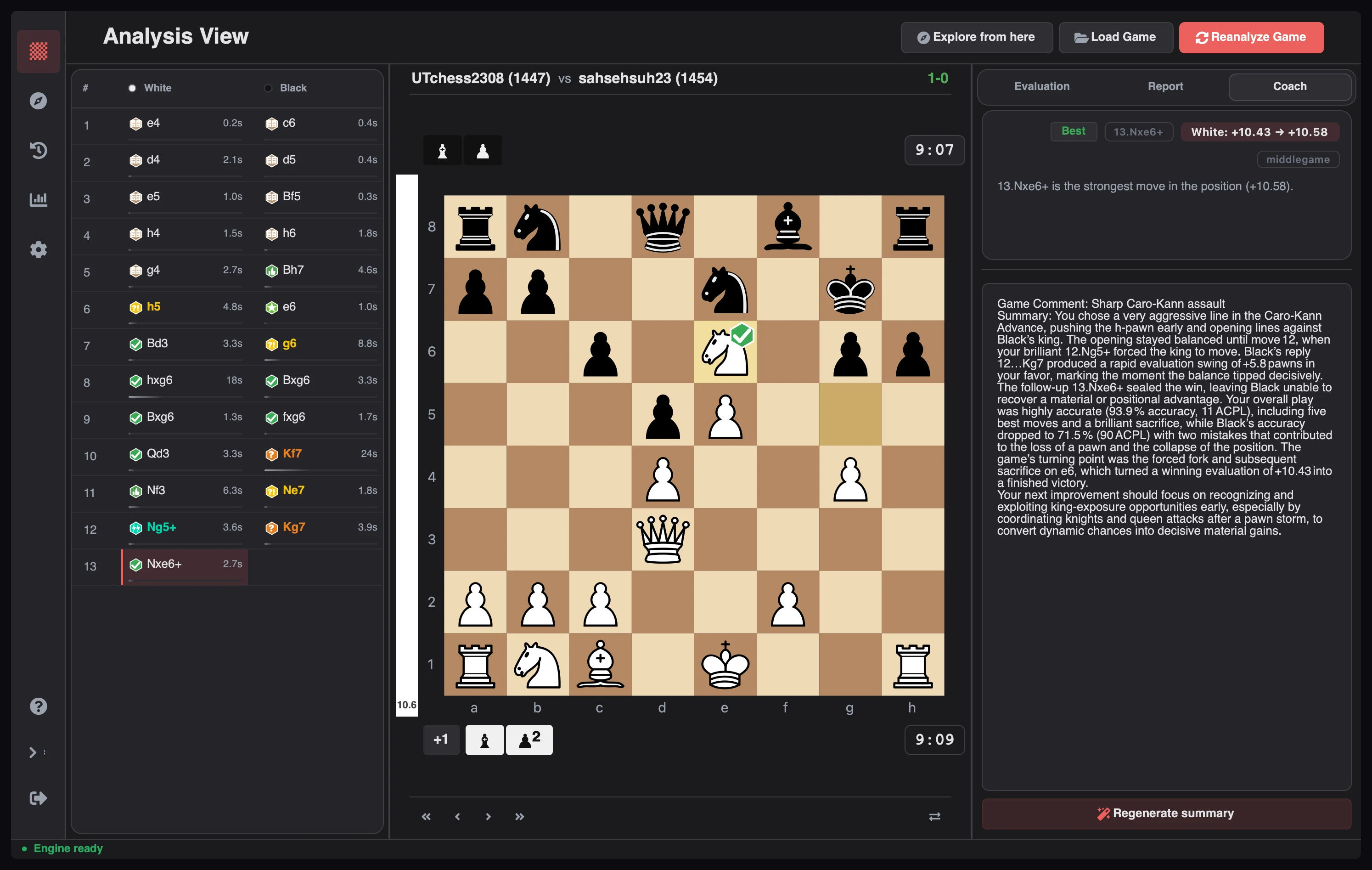
Persistent Coach game summary with the game comment, paragraph, and key moments
There's a persistent game summary too: a game comment, a paragraph on how it flowed, and the key moments. It's stored with the game, so it survives reloads. The AI Coach card on Metrics turns aggregate stats into suggestions via Refresh Insights.
You can tune the wording: temperature, max tokens, reasoning effort, and cache TTL. Profiles support Groq, OpenAI, LM Studio, MiniMax, and any OpenAI-compatible endpoint. Keys live in your OS credential store, not a text file.
One honest note: the Coach is a reading aid, not an oracle. It explains what the engine found; it doesn't replace your own calculation.
The engine shows a line you don't believe, and you want to poke at it. Before this release, that meant leaving the game, opening the Explorer, and losing your place.
Now you can branch directly from the position you're looking at.
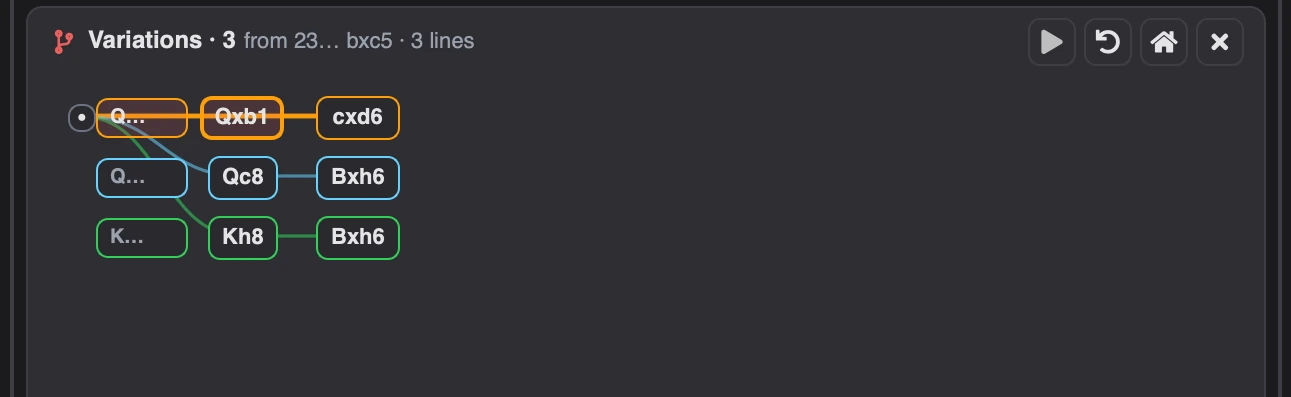
Click any engine line, or use Show best move and Show refutation in the Coach card. Once a tree is open, play any legal move to extend it. A different move from a position that already has one creates a sibling branch instead of overwriting the line.
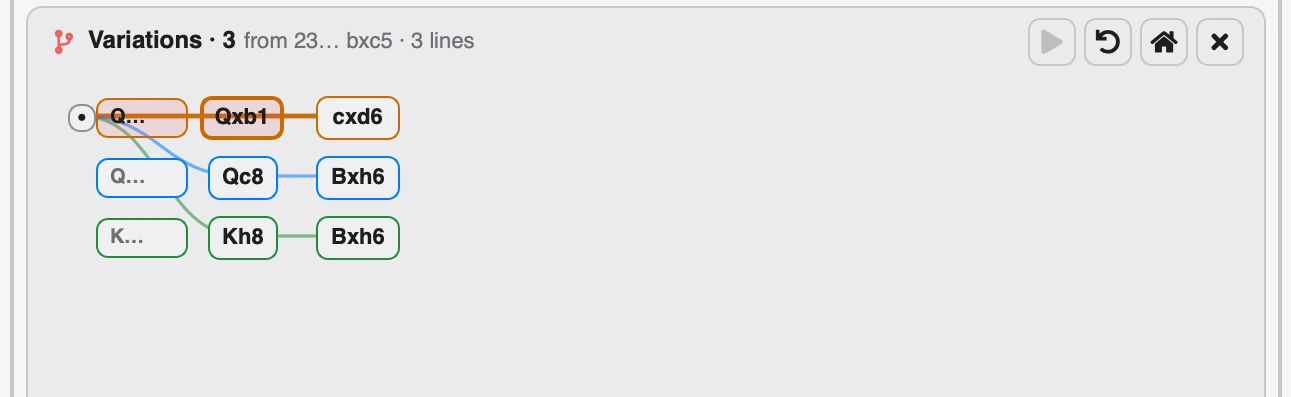
Variation tree with three coloured lanes, a move pill per node, and the branch controls on the right
The tree lives under the board. Each coloured lane is a branch, each pill a move; click one to jump there. Pan the background, scroll vertically, and Shift-scroll horizontally when a line gets wide.
When a position has several answers, Alt+↑ and Alt+↓ cycle between sibling branches, ← and → step through the line, and Esc returns to the game.
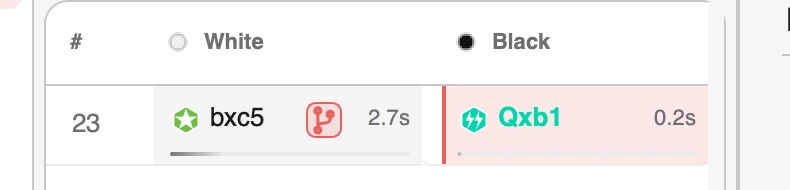
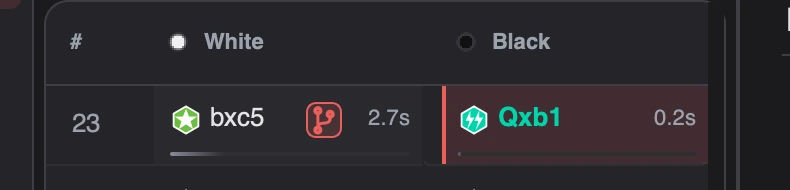
Move list row with a branch badge beside the move where a variation tree was saved
The move list marks where a tree starts, with a badge showing how many are saved there. Click it to reopen them without leaving the analysis view.
To be clear: variation mode doesn't change your game, its analysis, accuracy, or score, and it doesn't touch the PGN. Trees last for the session, keyed by position. It won't start while a full analysis is running; pause or finish that first.
Settings had grown the way settings usually grow: one useful control at a time, until the page became a long scroll you weren't sure you'd finished.
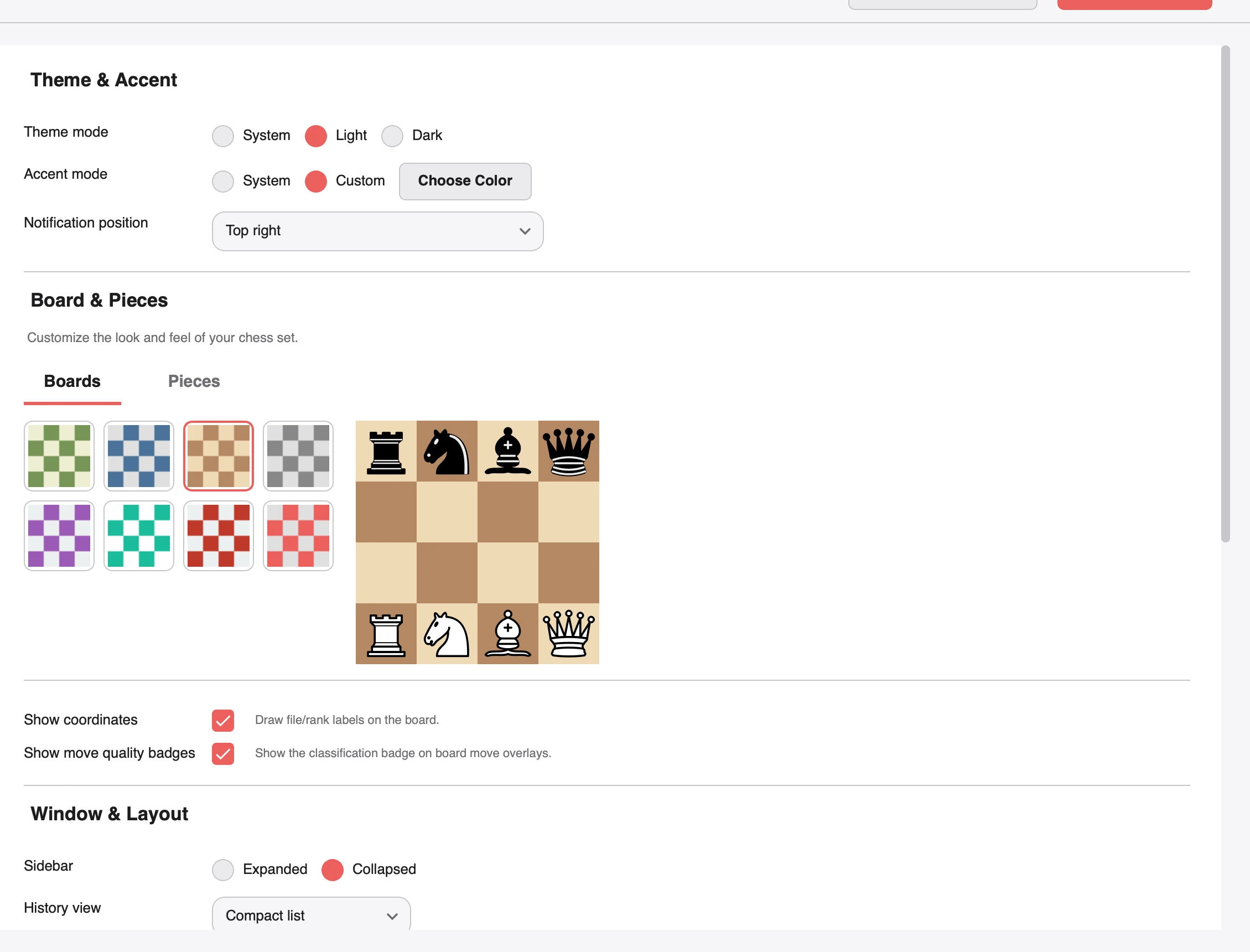
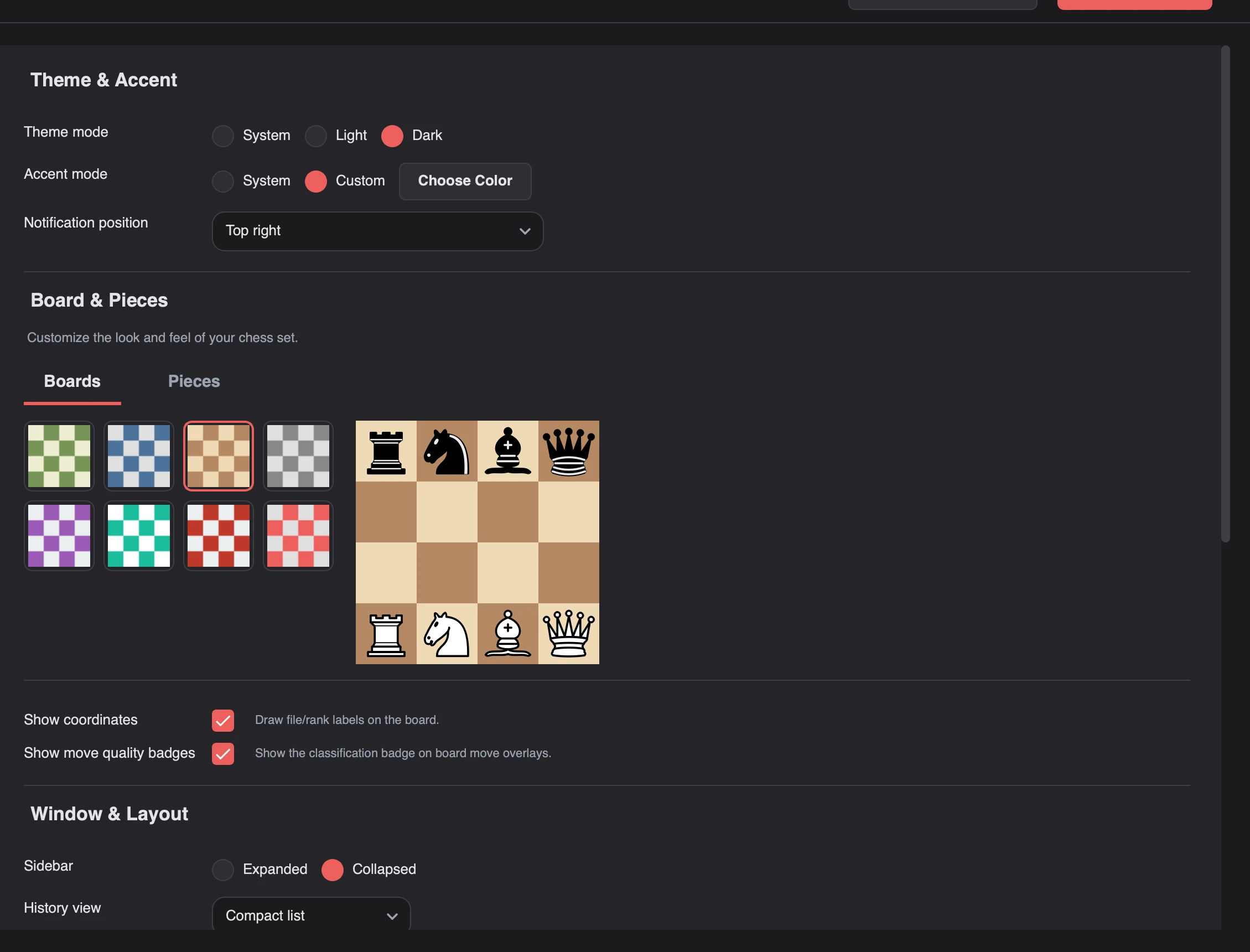
v2.5.0 rebuilds it around a fixed category rail beside a scrolling panel: Analysis, Appearance, AI Coach, Integrations, Data & Storage, Keyboard, and About & Links. Search jumps to the matching card, and Advanced Settings reveals the tuning most people never need.
Appearance settings with theme mode, accent colour, notification position, board swatches, and piece preview
Settings are driven by a typed schema: defaults, ranges, choices, and validation come from one place, so a control can't disagree with the config it writes. Missing keys fill in on load, invalid values are discarded instead of crashing, and the schema carries a version for migrations.
Data & Storage got the most attention, because it's where the scary buttons live:
Backup and restore via SQLite's online backup API, with a schema check, file preview, and pre-restore safety copy.
A local usage report so you can see what's actually taking up space.
Open Data Folder, for when you'd rather look yourself.
Retention controls for the explorer cache, explanation cache, and evaluation cache.
Maintenance: clear caches, optimize the database, rebuild the opening index.
A separated danger zone for resetting everything, because that shouldn't sit next to Save.
Data and Storage settings showing database size, cache counts, and the Open Data Folder action
A lot of this release is about not forcing my defaults on you.
Appearance and board. Coordinates, move-quality badges, the best-move arrow, last-move highlight, and the evaluation bar are real toggles now, applied live to both boards. New installs start on the warmer Brown theme.
Layout. Choose the sidebar's start state, whether window size and position are remembered, and whether History opens compact or detailed.
Keyboard. Two presets: Standard (arrows plus J/K) and Vim (adds H/L). F1 or ? opens the full cheat sheet from anywhere.
Integrations. The games fetch limit runs from 1 to 30, the profile cache TTL from one hour to seven days or never, and the Lichess token now lives with Integrations, not AI settings. A token also unlocks private archives and the online opening explorer.
Caches. Explorer and explanation cache TTLs and the maximum cached evaluations are adjustable, with pruning applied as you save. Lowering the evaluation cap cleans up immediately instead of waiting for a restart.
Notifications. Toast placement is configurable across six corners, because the top-right corner is not universally loved.
Most of these live in Advanced, which is the point. The default view stays short.
Part of this release was a component cleanup that happens to be very visible.
The GUI library is grouped into controls/, display/, feedback/, layout/, and lists/, behind one facade. Every shared control comes from one implementation: Button, Input, Select, Tabs, DatePicker, Toast, PaginationBar, EmptyState, StatusBadge, SegmentedControl, and the rest. Styles come from the live palette instead of per-widget stylesheets, so fewer controls look wrong in light mode.
On screen:
Board and pieces. Live previews while you change themes, a cleaner layout, and consistent rendering across Analysis, Explorer, and captured pieces.
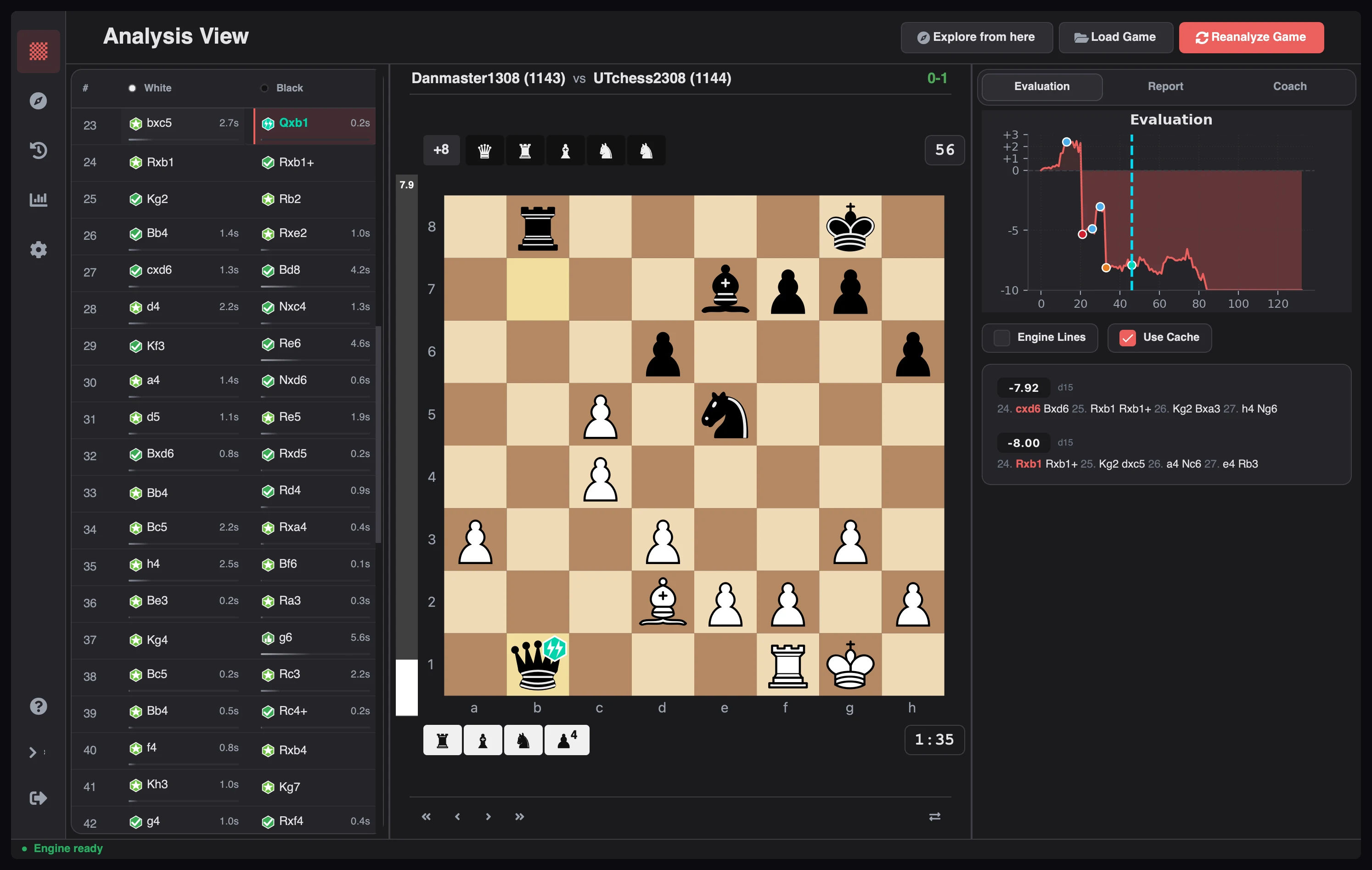
Move list. Rounded card, clearer headers, badges on every classified move, painted selection and hover states, and think-time labels that fit the row.
Engine lines. A dedicated widget with fixed-height rows, elided variations, and throttled 10 Hz updates. No more rows jumping as the engine refines its search.
Board chrome. The matchup header hugs the board width, captured pieces and clocks stay attached to the board, and navigation moved into a compact icon footer.
Stepping. Jumping between moves uses the cached position directly instead of replaying from move one, so long games feel snappier.
Landing page. One primary action instead of five: Load Game is the only filled button, GitHub is outlined, review is hollow, and utilities are plain text links. The puzzle prompt is neutral, with a turn badge and a ghosted Reveal.
Status bar. Idle is a single ● Engine ready pill; the separator and status label only appear for real messages.
Load Game. One dialog shell, a source toolbar, stacked inputs, skeleton loading, and structured empty and error states with retry. PGN File and PGN Text keep their state when you switch tabs.
Date picker. Outlined field, floating label, keyboard grid navigation, locale-aware weekdays, month/year navigation, and no future dates where they don't apply.
Toasts and dialogs. Five toast variants, per-window stacking, loading-to-result morphing, actions, progress, hover pause, and deduplication. The update dialog renders Markdown release notes with clickable links and streaming progress.
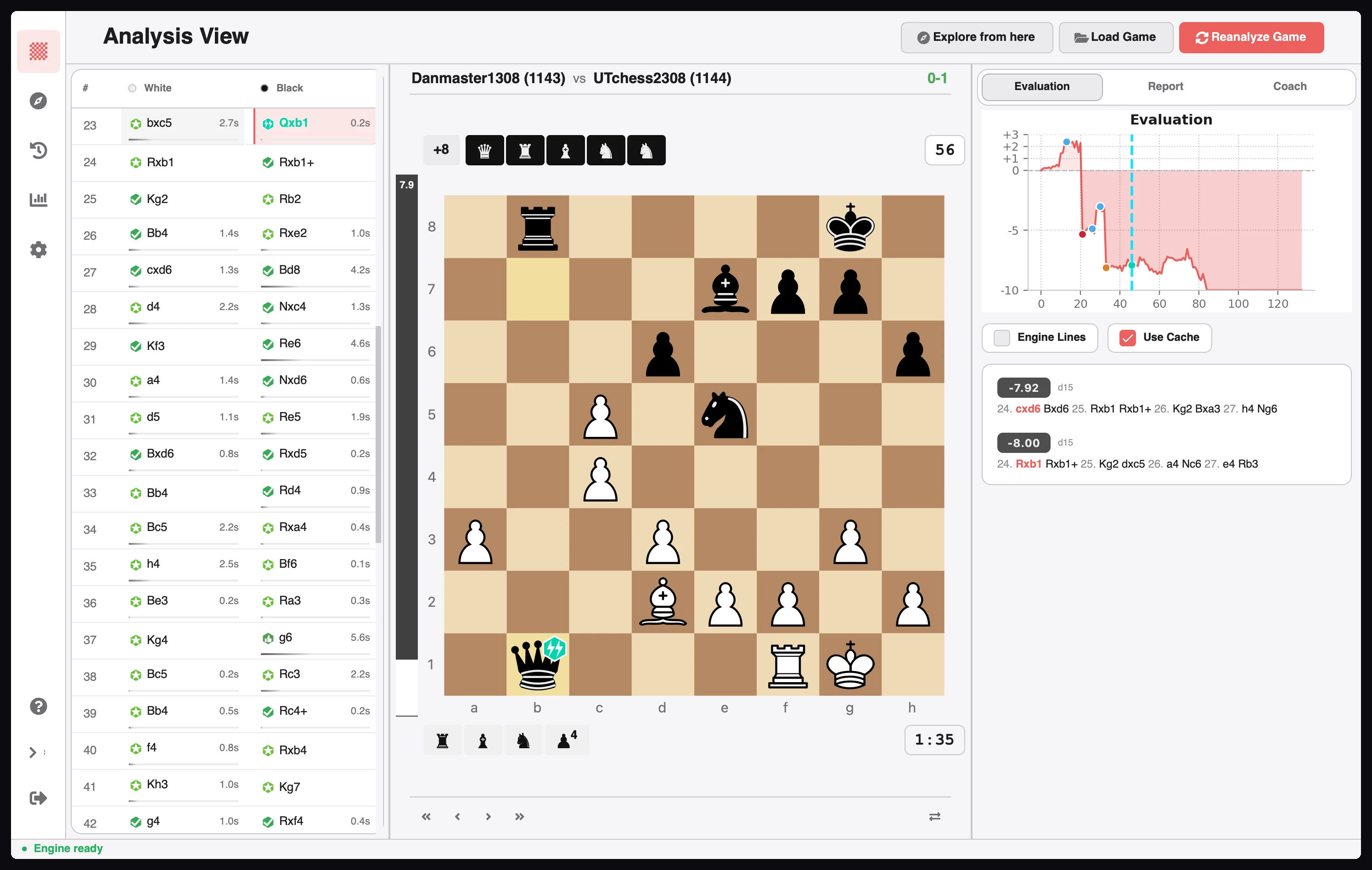
Analysis workspace with the Brilliant badge on the board, the evaluation graph, and two engine lines
Theme-aware controls re-render their icons on appearance changes, and result colours stay on the saved player's perspective instead of flipping to White's.
History was already redesigned in v2.3.0. What it needed now was speed.
It loads 10 detailed cards or 15 compact rows per page and prefetches the next page while you read. Search and filters are debounced, so typing doesn't fire a query per keystroke. Pagination, empty states, and status badges use the same shared components as the rest of the app, and both layouts render from one shared item widget.
Your preferred layout is now a real setting, saved across sessions. The header toggle still overrides it for the current session. Same library, less waiting.
Window and Layout settings showing the History view default set to Compact list
The full list is in the patch notes, but these are the ones people actually hit:
macOS updater SSL error.CERTIFICATE_VERIFY_FAILED is fixed by moving the download worker to requests with bundled certifi certificates.
Custom accents surviving restart. Accents no longer revert to the system default.
Landing tour loop. The empty landing tour no longer repeats on every launch.
Evaluation lines. Continuations start from the selected position, checkmate shows only the mating line, and live analysis respects its time and depth bounds.
Stale engine lines. Fixed resurrection, sequence mismatches, duplicate Stockfish processes, and the hang cases around them.
Lichess results. Resignation and timeout are preserved instead of being converted into agreed draws.
F while typing. Flipping the board is disabled inside text fields.
Move list after restore. Clearing or restoring a game no longer leaves dead widgets behind that crash the list.
Three changes that don't fit in a screenshot: secrets now live in the OS credential store (Keychain, Credential Locker, or Secret Service) with automatic migration; storage, network, and update work share one background task runner; and the test suite runs in under 20 seconds with an 85% branch-coverage floor.
If you find Chess Analyzer Pro useful, please star the project on GitHub. It helps more chess players discover a free, open-source alternative to paid subscriptions.
Try Chess Analyzer Pro
Analyze games with Stockfish offline, review blunder classifications, and manage your local game archive.
 Download